CompareCompare10 min read
Klaviyo vs Mailchimp for Shopify Stores: Costs, Data and Fit
Both tools cost about the same for a small list, but they count contacts and use Shopify data very differently. Here is how to pick the one that fits your store, from a developer who sets them up but doesn't sell either.
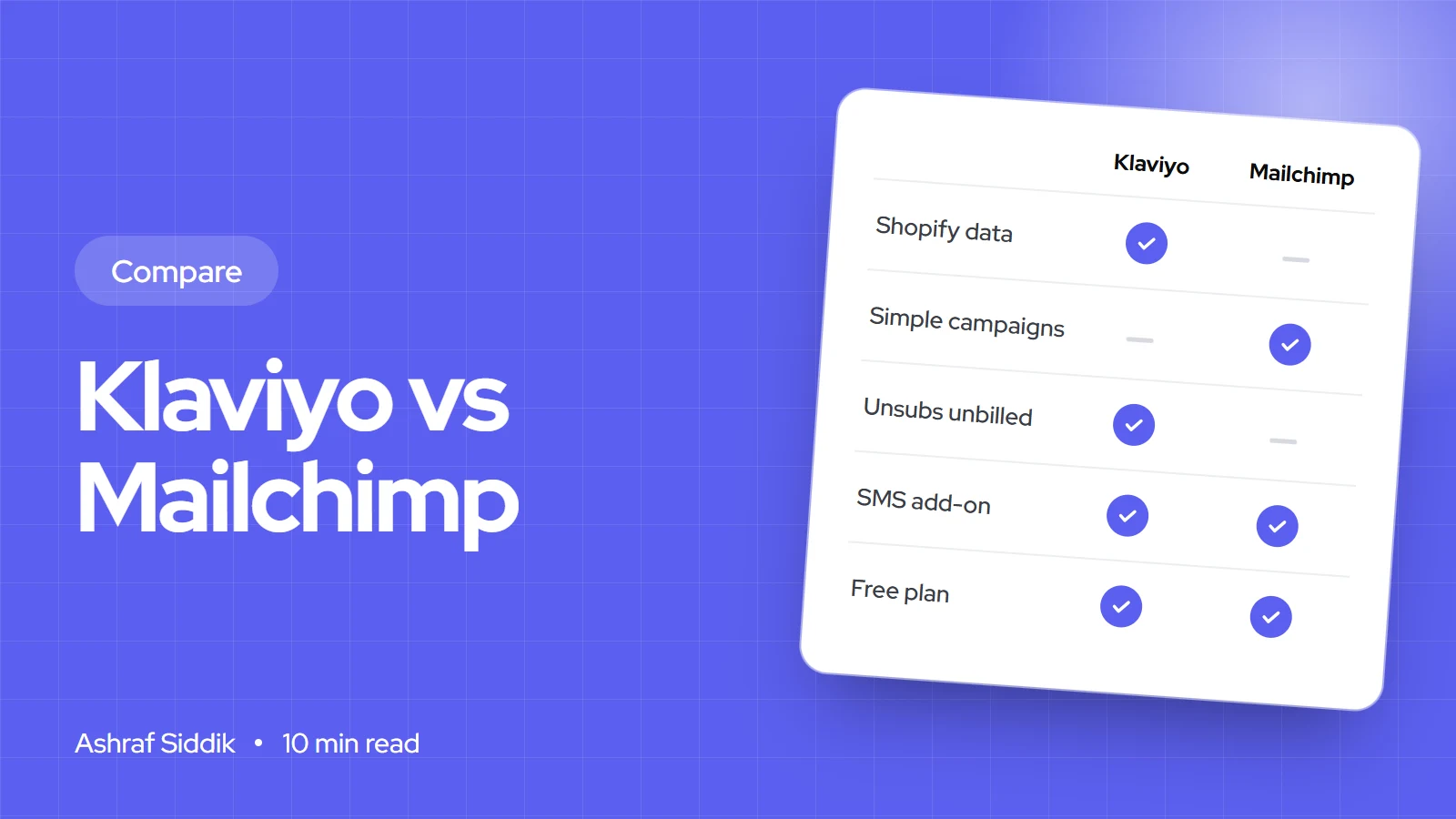
Key takeaways
- Both start at about $20 a month for 500 contacts on their main paid plans, but they count contacts differently. Mailchimp bills unsubscribed and non-subscribed contacts. Klaviyo doesn't bill unsubscribed or suppressed profiles.
- Klaviyo is built around Shopify store data such as orders, products, browsing and checkout events, which is what most sales-driving automations need.
- Mailchimp's Essentials, Standard and Premium prices were 50%-off introductory prices for 12 months when I checked, so budget for the full price in year two.
- A small store sending under 10,000 emails a month can start on Shopify's own email tool, which includes 10,000 free emails every month.
- Who it is for
- Shopify store owners choosing an email platform
- Time needed
- 15 minutes to decide, 1 to 2 weeks to switch
- What you need
- Your contact count and each contact's consent status
Klaviyo vs Mailchimp is one of the first tool decisions a Shopify store owner makes, and it is hard to undo once your forms, flows and segments are built. I'm a Shopify developer and CRO specialist, not an email agency, and I don't run email campaigns for clients. I see these tools from the store side: I install the sign-up forms, connect the store data, check what their scripts do to page speed and look at how email traffic converts once it lands on the site.
I have no affiliate deal with either company. Prices and limits below come from Klaviyo's and Mailchimp's US pricing pages and help centers, as checked on 7 November 2026. Both change their plans often, so confirm the numbers on the day you sign up.
The short answer
| Your situation | Better fit | Why |
|---|---|---|
| Email is one of your main sales channels on Shopify | Klaviyo | Orders, products and browsing events feed straight into segments and flows |
| You send a monthly newsletter and the odd promotion | Mailchimp | Simple campaign editor, and the entry plans cost less in year one |
| You sell through Shopify and other systems, or run a service business with a small shop | Mailchimp | One audience fed from many sources, not only a store |
| A large share of your list has unsubscribed | Klaviyo | Unsubscribed and suppressed profiles aren't billed |
| Under a few thousand subscribers and a few sends a month | Shopify Messaging first | 10,000 emails a month free inside your Shopify admin |
Klaviyo vs Mailchimp pricing
Both price by the size of your list and raise the price as it grows. Neither pricing page showed prices above the entry tier without using its slider, so treat the figures below as starting points and run your own contact count through each slider.
| Klaviyo plan | Price from | What the starting price includes |
|---|---|---|
| Free | $0 | Up to 250 active profiles, 500 email sends a month, $5 of mobile messages a month, email support for the first 60 days |
| $20 a month | 500 active profiles and 5,000 email sends a month | |
| Marketing | $25 a month | 500 active profiles and 5,000 sends, plus product reviews with no order limit and more Customer Hub profiles |
| Custom | Talk to sales | Over 150,000 active profiles, dedicated support and service levels |
| Mailchimp plan | Price shown | Contacts at that price | Monthly send limit | Notable limits |
|---|---|---|---|---|
| Free | $0 | 250 | 500, and 250 a day | 1 user, no automation flows |
| Essentials | $13 a month | 500 | 10 times your contact limit | 3 users, flows of up to 4 steps |
| Standard | $20 a month | 500 | 12 times your contact limit | 5 users, up to 200 flows, predictive segments |
| Premium | $350 a month | 10,000 | 15 times your contact limit | Unlimited users, multivariate testing, phone support |
Mailchimp's paid prices were shown as 50% off for the first 12 months, and the page I saw didn't display the full price. Half price means the regular price is about double, so a $20 Standard plan becomes roughly $40 in year two at the same list size. Klaviyo was running its own offer when I checked: the first month of an eligible Marketing plan for $1, for up to 5,000 active profiles.
At 500 contacts the two main plans are close: Klaviyo Email gives 5,000 sends for $20, and Mailchimp Standard gives 6,000 sends for $20 in year one. The real cost gap opens up in how each one counts your list, which is the next section.
How each one counts your contacts
This is the detail that changes the bill most, and it is easy to miss when you connect a Shopify store, because the store usually holds far more customer emails than subscribers.
- Mailchimp counts subscribed, unsubscribed and non-subscribed contacts in your plan total. Archived, cleaned and deleted contacts don't count. Its Shopify app syncs your existing customers into the audience with their subscription status, so every past buyer becomes a counted contact.
- Klaviyo bills active profiles: profiles with an email address that aren't suppressed. Unsubscribed and suppressed profiles don't count. Customers who never subscribed but aren't suppressed still do.
Billable contacts for a store with 3,000 customer emails
- Mailchimp, as synced3,000Subscribed, never subscribed and unsubscribed all count.
- Mailchimp, after archiving1,800Archive the 1,200 people you can't email.
- Klaviyo, as synced2,500The 500 unsubscribed are suppressed and not billed.
- Klaviyo, after suppressing1,800Suppress the 700 who never subscribed.
The lesson is that list hygiene decides your bill more than the headline price. Untouched, the Mailchimp account in this example is billed for two-thirds more contacts than it can email. Cleaned up, both bill the same 1,800. If you choose Mailchimp, set a monthly task to archive contacts you can't market to. If you choose Klaviyo, suppress profiles that never opted in and that you have no plan to email.
Going over your tier works differently too. Klaviyo moves you to a plan that fits at the next billing cycle. Mailchimp's Standard and Premium plans add overage charges, and its Free plan pauses sending until you upgrade or reduce your list.
Shopify integration and store data
Email that sells on Shopify depends on store data: who bought what, who looked at a product, who started checkout and left. Both tools now pull that data in, with different depth.
- Klaviyo has a built-in Shopify integration. It syncs customers and Shopify email and SMS subscribers to a list, imports your product catalog and tracks on-site events such as Viewed Product once you turn on its app embed in the theme. Events like Added to Cart, Viewed Collection and Submitted Search need Shopify's Network Intelligence setting turned on.
- Mailchimp connects through the Mailchimp for Shopify app. It syncs customer, order and B2B company data, most fields in near real time and discount codes every few hours, plus cart and checkout events such as added to cart and checkout started. The older Mailchimp for Shopify [Legacy] app has been retired, so a store still running it needs to switch.
In the stores I work on, the practical difference is how much store behavior you can act on without workarounds. Klaviyo's segments and flow triggers are built around Shopify events, so "bought twice, not in 90 days, viewed this collection last week" is a normal segment. Mailchimp can cover the core flows well, and it suits a business whose list comes from several places, not only the store.
Automations that earn their keep
Most of the steady email revenue on a Shopify store comes from a handful of automated flows, not from campaigns. These are the five I check first on any store, with the data each one needs:
- Abandoned checkout. Needs the checkout started event and the cart contents. Shopify sends its own abandoned checkout emails for free, so turn one of them off once your email tool's version is live.
- Browse abandonment. Needs on-site product view tracking, which depends on the app embed and, for EU and UK visitors, cookie consent.
- Welcome series. Needs the sign-up source and, ideally, whether the subscriber has bought yet.
- Post-purchase. Needs order and product data to send care tips, cross-sells or a review request.
- Win-back. Needs order dates to find customers who haven't bought in a set number of days.
Plan limits matter here. Mailchimp's Free plan has no automation flows, and Essentials caps flows at 4 steps, so Standard is the realistic Mailchimp plan for a store. Klaviyo's Free plan stops at 500 sends a month, which a working abandoned checkout flow and one campaign can use up quickly.
SMS and other channels
Klaviyo sells SMS, MMS, WhatsApp and RCS as a committed monthly spend, with rates that vary by message type and country. The Free plan includes $5 of mobile messages a month, enough to test. Its Marketing plan bundles more of its other tools, such as product reviews without an order limit.
Mailchimp sells SMS as an add-on for Essentials and above, paid in monthly credits that don't roll over. It covers the US, Canada, the UK, Australia and a long list of European countries, with MMS limited to Standard or Premium in the US and Canada. Shopify SMS subscribers sync one way into Mailchimp, and only with an approved SMS program.
Sign-up forms, speed and conversion
This is where I spend my time with these tools. A sign-up form that opens the moment a mobile shopper lands, covers the product photo and is hard to close costs sales, whichever tool runs it. A few rules I apply:
- Run one email tool's forms, not two. Old pop-ups from a previous tool are a common cause of double pop-ups and extra scripts.
- Delay pop-ups on mobile until the shopper has scrolled or viewed a second page, and make the close button easy to tap.
- Test speed before and after install. Both tools load a script on every page. Run the Shopify speed checker before and after, and remove the old tool's app embed.
- Match the offer to the landing page. An email that promises 15% off should land on a page that shows it.
My mobile CRO checklist covers pop-up placement in more detail. If your email traffic clicks but doesn't buy, the problem is usually on the store, which is what my CRO work fixes, from $500.
Selling to other countries
Both tools send in any language you write and can segment by country using Shopify's customer data. The differences are consent and SMS reach:
- US: both support SMS. Email consent rules are looser than in Europe, but keep your opt-in records anyway.
- UK and EU/Netherlands: Klaviyo notes it may not track on-site events for visitors in the EU, EEA, UK and Switzerland unless they have given consent through Shopify's privacy settings, so browse abandonment flows reach fewer people. Set up your cookie banner before judging flow results.
- Australia: Mailchimp lists Australia for SMS. Klaviyo's text rates vary by country, so check the rate for your market before building an SMS plan.
When to choose which, and signs you've outgrown Mailchimp
Choose Mailchimp when email is a support channel: a newsletter, a launch announcement, a business whose list comes from events or a service as much as from the store. Choose Klaviyo when email and SMS are sales channels you plan to build on. You've probably outgrown Mailchimp when:
- You want segments based on browsing, such as viewed a collection but didn't buy.
- Your bill grows faster than your subscribers because every past customer is a counted contact.
- You run more than a few flows and want them triggered by product, order count or spend.
- You want email and SMS in one place with the same segments.
How to decide in three questions
Klaviyo or Mailchimp?
- 1
Do you send fewer than 10,000 emails a month and only need campaigns and abandoned checkout?
Yes: start with Shopify MessagingNo: next question
- 2
Is Shopify the main source of your list and your sales?
Yes: lean towards KlaviyoNo: Mailchimp Standard fits a mixed list
- 3
Do you plan to build flows on product views, order history or SMS?
Yes: KlaviyoNo: either works, so compare both sliders at your real contact count
Whichever you choose, clean the list before you connect it. It is cheaper than paying for contacts you can't email.
Moving from Mailchimp to Klaviyo
A move takes a week or two of work if you plan it. These are the steps I follow on the store side:
- Export your audience with consent status. Keep subscribed, unsubscribed and cleaned contacts separate so nobody who opted out gets emailed again.
- Disconnect Mailchimp from Shopify. Remove the app and its app embed before you connect Klaviyo, to avoid duplicate opt-in emails.
- Connect Klaviyo and let it sync. Check the historical data progress and confirm the product catalog uses your storefront domain, not the myshopify.com address.
- Rebuild forms first. Turn on the new forms and check that no old pop-up is still loading.
- Rebuild flows in order of value. Abandoned checkout, then welcome, browse abandonment, post-purchase and win-back.
- Send campaigns to engaged subscribers first for the first few weeks, then widen, so the new sending account builds a good reputation.
- Re-test speed and sign-ups. Place a test sign-up and a test abandoned checkout, and run the speed check again.
If you also want to see which other apps are loading on your store before you add another one, the Shopify app detector lists them, and my guide to the apps a Shopify store uses explains which ones usually earn their place.
Free tools
Check your own store
Free, no sign-up. Each one runs a part of this guide for you.
Frequently asked questions
Is Klaviyo better than Mailchimp for Shopify?
For most stores where email is a real sales channel, yes. Klaviyo uses Shopify orders, products and browsing events directly in segments and flows. Mailchimp is a good fit when email is a newsletter channel or your list comes from more than the store.
Is Klaviyo more expensive than Mailchimp?
At 500 contacts they were close when I checked on 7 November 2026: Klaviyo Email from $20 a month and Mailchimp Standard from $20 a month, but Mailchimp's price was a 50%-off offer for 12 months. Mailchimp also bills unsubscribed contacts, so a store with many past customers can pay more on Mailchimp.
Do unsubscribed contacts count toward my bill?
On Mailchimp, yes. Subscribed, unsubscribed and non-subscribed contacts all count, while archived, cleaned and deleted contacts don't. On Klaviyo, unsubscribed and suppressed profiles don't count toward billing.
Can I use Shopify's own email tool instead?
Yes, for a small store. Shopify Messaging includes 10,000 free emails a month, then charges $1 per 1,000 emails, and abandoned checkout emails are always free. It has fewer segmentation and flow options than Klaviyo or Mailchimp.
Does Mailchimp still work with Shopify?
Yes, through the current Mailchimp for Shopify app, which syncs customers, orders and cart events. The older legacy app has been retired, so stores still on it need to switch to the current one.
Will an email tool slow my store down?
Each tool loads a script for forms and tracking, so there is a small cost. The bigger problem is old scripts left behind after a switch. Remove the old app embed and test speed before and after.
Sources
- Klaviyo pricing, Klaviyo
- How Klaviyo pricing works, Klaviyo
- Mailchimp marketing plans and pricing, Mailchimp
- About Mailchimp pricing plans, Mailchimp
- About Mailchimp for Shopify syncing, Mailchimp
- Shopify Messaging email pricing, Shopify Help Center
Related services and work

I'm a Shopify developer and CRO specialist. I have built and improved Shopify stores since 2018, completed more than 1,000 projects, and hold a 4.96 average rating across 719 client reviews.
More guides
-
Why Shopify Stores Lose Sales on Mobile: A Practical CRO Checklist
Mobile visitors decide fast, with one thumb and plenty of distractions. Here is how to find the leaks on a Shopify store and fix them in the right order.
-
Shopify CRO Audit Checklist for DTC Brands
The checklist I use to audit DTC Shopify stores, from checking that the data can be trusted to deciding which fixes to ship first.
-
When to Build a Custom Shopify App Instead of Adding Another Subscription
Another subscription is the quickest fix, until you are paying for five apps that still don't match how your business works. Here is how to decide.
-
How to Find Out What Theme a Shopify Store Uses
Every Shopify store names its theme in the page code. Here is where to look, how to read what you find, and what it means for your own theme choice.
-
How to See What Apps a Shopify Store Uses
Apps leave traces in a store's page code: scripts from their own servers, app embed folders and pixel settings. Here is how to read them, and what to do with the list.
-
How to Name a Shopify Store (and Check the Name Is Free)
A store name has to be easy to say, free as a domain and a handle, and clear of other brands. Here is the process I use with clients, and what Shopify lets you change later.





