CompareCompare8 min read
Shopify vs Ecwid: Which Is Right for Your Shop?
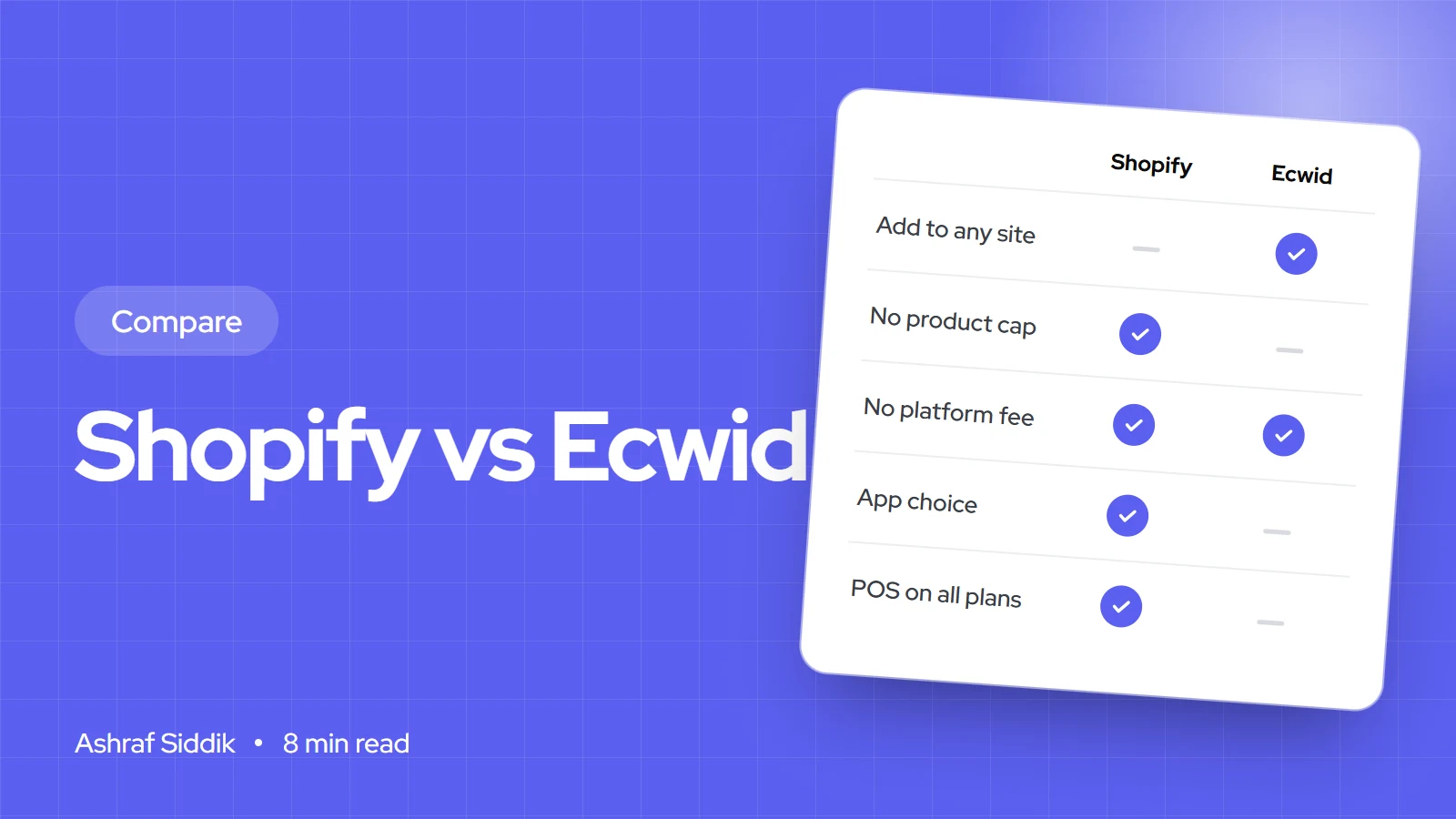
Ecwid adds a store to the website you already have. Shopify is the store itself, with far more room to grow.
Key takeaways
- Ecwid's main strength is adding a store to a website you already have, on WordPress, Wix, Squarespace or elsewhere. Shopify is a full store platform first, with a Buy Button for other sites.
- Ecwid plans run from $5 to $119 a month billed yearly, with product caps of 10, 100 and 2,500 below the top plan. Neither platform adds a transaction fee with its own payments setup.
- In my worked example the two cost within $20 a month of each other, but Ecwid needs its $49 Business plan for abandoned cart recovery, which Shopify includes on Basic.
- Pick Ecwid if your website is the main thing and the shop is an add-on. Pick Shopify if the shop is the business, or will be.
- Who it is for
- Website owners adding a shop, and small stores choosing a platform
- Time needed
- 10 minutes to read
- What you need
- Your current website, product count and sales
Shopify vs Ecwid is usually a question from someone who already has a website. Ecwid, owned by Lightspeed, is built to drop a store into an existing site, so you keep your WordPress blog or Wix pages and add products and checkout. Shopify is built to be the store itself, with everything around it. I build Shopify stores for a living, so I lean that way. I will still tell you plainly when Ecwid is the more sensible choice, because for some businesses it is.
Ecwid's prices come from its US pricing page and Shopify's from its pricing page, both as checked on 7 November 2026.
Shopify vs Ecwid: the short answer
| Your situation | Better fit | Why |
|---|---|---|
| A content site, blog or service business adding a small shop | Ecwid | Adds a store to the site you already have |
| Selling the same products on several websites | Ecwid | One Ecwid account can power stores on several sites |
| Products are the main business | Shopify | Checkout, catalog and order tools built around selling |
| You rely on apps for reviews, bundles, subscriptions or loyalty | Shopify | A far bigger app store and developer community |
| A very small shop on a tight budget | Ecwid | $5 a month for up to 10 products |
What each platform costs
Ecwid plans are month to month with no setup fee. Paying yearly saves about 16%.
| Ecwid plan | Billed monthly | Billed yearly | Products | Staff accounts |
|---|---|---|---|---|
| Starter | $5 a month | $5 a month | 10 | Not included |
| Venture | $35 a month | $29 a month | 100 | Not included |
| Business | $65 a month | $49 a month | 2,500 | 2 |
| Unlimited | $149 a month | $119 a month | No limit | No limit |
| Shopify plan | Billed monthly | Billed yearly | Products | Staff accounts |
|---|---|---|---|---|
| Basic | $25 a month | $19 a month | No limit | None extra |
| Grow | $65 a month | $49 a month | No limit | 5 |
| Advanced | $399 a month | $299 a month | No limit | 15 |
Ecwid Starter gives you a free company.site address and the ability to add the store to any site, but a custom domain, coupons and automated tax come with Venture. Shopify offered new stores 3 days free, then $1 a month for three months, when I checked. Ecwid's pricing page doesn't mention a free trial. It does offer six months of Venture free to qualifying nonprofits.
Fees and a worked example
Ecwid says it charges no transaction fees on any plan. You pay card processing to whichever of its 70+ payment providers you use, such as Lightspeed Payments, Stripe or PayPal. Shopify charges no transaction fee with Shopify Payments, and 2% on Basic, 1% on Grow and 0.6% on Advanced with another provider.
Monthly cost for a store selling $4,000 from 80 orders
- Ecwid Venture$169$29 plan, $140 card processing. Up to 100 products, no abandoned cart emails.
- Ecwid Business$189$49 plan, $140 card processing. Adds abandoned carts and 2 staff.
- Shopify Basic$159$19 plan, $140 card processing with Shopify Payments.
- Shopify Grow$181$49 plan, $132 at the lower Grow card rate, 5 staff.
The plan prices look different, but the totals are close because card processing is the big number. The real question is which features you need at each level. If you want abandoned cart recovery, which often wins back a few orders a month, Ecwid needs Business while Shopify includes it on Basic. Try your own numbers in the Shopify fees calculator.
Adding a store to an existing website
This is where Ecwid shines. You add a widget or plugin to your WordPress, Wix or Squarespace site, and products, cart and checkout appear inside your pages. You can add the same store to several sites and manage all products and orders from one Ecwid account. For a blogger, a recipe site or a consultant selling a few products, that is often all they need.
Shopify can do a lighter version of this with its Buy Button channel, included in all Shopify plans, which embeds products and checkout on another website. It works well for a few products, but most Shopify stores run the whole site on Shopify instead, with the blog and pages built in.
The trade-off is ownership of the experience. With Ecwid inside WordPress, you maintain two systems: the website and the store. With Shopify, one platform handles hosting, security, checkout and updates.
Features that differ by plan
- Abandoned cart recovery. Ecwid Business and above. Every Shopify plan.
- Selling on marketplaces. Ecwid Business and above, through third-party apps that may charge extra. Shopify connects Amazon, eBay and, in the US, Walmart and Target Plus through its own Marketplace Connect app.
- Selling in person. Ecwid's POS integration with Lightspeed, Square or Clover sits on Unlimited at $119 a month, and some POS options are limited to certain countries. Shopify POS works with every Shopify plan.
- Multiple languages. Ecwid Business and above. Shopify includes translation and language settings through Shopify Markets.
- Wholesale pricing. Ecwid Business has wholesale pricing groups. Shopify has built-in B2B features, fullest on Plus, and wholesale apps on every plan.
- Subscriptions. Ecwid Business, through Lightspeed Payments or Stripe. Shopify through apps, including Shopify's own free Subscriptions app.
Checkout, apps and customization
Ecwid offers one-tap Apple Pay and Google Pay when the store is connected to Lightspeed Payments or Stripe, plus custom checkout fields on its plans. That covers what most small shops need.
Shopify's checkout is its strongest feature. Shop Pay saves a shopper's details across every Shopify store, so many first-time visitors to your store can still pay in a couple of taps, because they have bought from another Shopify store before. Shopify also tests and refines its checkout across millions of stores, which you get for free. For a store where most traffic is on phones, a faster checkout is worth more than a small difference in plan price.
Ecwid has an App Market from Venture upwards. It covers the common needs, but it is much smaller than the Shopify App Store, where almost every job has several competing apps. When nothing fits, Shopify's APIs and theme code let a developer build exactly what you need, and there are far more Shopify developers to hire.
Apps cost money on both platforms. On Shopify it is easy to spend more on apps than on the plan, so I review them with every client. My guide on what apps a Shopify store uses shows a lean starting set.
SEO
Ecwid's custom URL slugs for products and categories start on the Business plan, and its pricing page also lists advanced SEO tools. When Ecwid sits inside another website, that website's SEO setup matters as much as Ecwid's.
Shopify gives every plan editable titles, meta descriptions and URL handles, automatic sitemaps and structured data in most themes. It fixes some URL patterns, such as /products/ and /collections/. If organic search will be a big channel, I cover the work involved in Shopify SEO.
Selling to other countries
Ecwid supports a multilingual catalog from Business upwards and automated tax calculations from Venture. Check that it handles the currencies and payment methods you need in each country before you commit.
Shopify Markets lets one store show local currencies, languages and domains for each country, with hreflang tags added automatically. With Shopify Payments, Dutch shoppers get iDEAL, UK shoppers see VAT-inclusive prices in pounds, and Australian shoppers can use Afterpay.
Signs you have outgrown Ecwid
- The shop now earns more than the website it sits on, and you are maintaining two systems for one business.
- You keep paying for the next plan up to get one feature, such as abandoned carts or POS.
- The app you need doesn't exist in Ecwid's App Market.
- You want to test and improve checkout and product pages beyond what Ecwid allows.
How to decide
Ecwid or Shopify?
- 1
Is the shop the main business, rather than an add-on to a website?
Yes: ShopifyNo: next question
- 2
Do you need POS, abandoned carts or more than 100 products?
Yes: compare Shopify Basic with Ecwid Business or UnlimitedNo: next question
- 3
Are you happy with your current website and want to keep it?
Yes: EcwidNo: Shopify, and rebuild the site on it
Comparing other simple builders too? See Shopify vs Big Cartel.
Moving from Ecwid to Shopify
- Export your catalog. Export products from Ecwid as a CSV and map the columns to Shopify's product CSV, including options, images and SEO fields.
- Decide what happens to the old website. Either rebuild its pages and blog on Shopify, or keep it and link to the new store. Rebuilding gives one site to maintain.
- Move customers. Import customers who opted in to marketing. Order history needs an app or a developer if you want it in Shopify.
- Set up redirects. Map every old product and category URL to its new Shopify URL so rankings and links carry over.
- Set up payments, shipping and tax, then place real test orders.
- Switch the domain and watch Search Console for a few weeks after launch.
If you would like this done for you, my team handles Shopify design and development from $300, with a fixed quote for each project.
Free tools
Check your own store
Free, no sign-up. Each one runs a part of this guide for you.
Frequently asked questions
Is Ecwid cheaper than Shopify?
Ecwid's Starter plan is cheaper at $5 a month for up to 10 products. For a store selling a few thousand a month in sales, the totals are close because card processing is the biggest cost. In my example Ecwid Venture costs $169 a month and Shopify Basic $159.
Does Ecwid charge transaction fees?
Ecwid says it charges no setup or transaction fees on any plan. You pay card processing to your payment provider.
Can I use Ecwid with WordPress?
Yes. Adding a store to an existing site on WordPress, Wix, Squarespace or another platform is Ecwid's main strength. Shopify can do something similar with its Buy Button, but works best as the whole site.
How many products can I sell on Ecwid?
As checked on 7 November 2026: 10 on Starter, 100 on Venture, 2,500 on Business and no limit on Unlimited. Shopify has no product limit on any plan.
Who owns Ecwid?
Ecwid is part of Lightspeed, the point-of-sale company, which is why Lightspeed Retail POS and Lightspeed Payments appear in its plans.
Can I move from Ecwid to Shopify?
Yes. Products export from Ecwid as a CSV and can be mapped to Shopify's format. The parts that need care are rebuilding the website pages and setting up redirects for every old URL.
Sources
- Ecwid pricing, Ecwid by Lightspeed
- Buy Button sales channel, Shopify
- Shopify Marketplace Connect, Shopify
- Managing international domains, Shopify
- Shopify pricing, Shopify
Related services and work

I'm a Shopify developer and CRO specialist. I have built and improved Shopify stores since 2018, completed more than 1,000 projects, and hold a 4.96 average rating across 719 client reviews.
More guides
-
Why Shopify Stores Lose Sales on Mobile: A Practical CRO Checklist
Mobile visitors decide fast, with one thumb and plenty of distractions. Here is how to find the leaks on a Shopify store and fix them in the right order.
-
Shopify CRO Audit Checklist for DTC Brands
The checklist I use to audit DTC Shopify stores, from checking that the data can be trusted to deciding which fixes to ship first.
-
When to Build a Custom Shopify App Instead of Adding Another Subscription
Another subscription is the quickest fix, until you are paying for five apps that still don't match how your business works. Here is how to decide.
-
How to Find Out What Theme a Shopify Store Uses
Every Shopify store names its theme in the page code. Here is where to look, how to read what you find, and what it means for your own theme choice.
-
How to See What Apps a Shopify Store Uses
Apps leave traces in a store's page code: scripts from their own servers, app embed folders and pixel settings. Here is how to read them, and what to do with the list.
-
How to Name a Shopify Store (and Check the Name Is Free)
A store name has to be easy to say, free as a domain and a handle, and clear of other brands. Here is the process I use with clients, and what Shopify lets you change later.





