Cost guideCost7 min read
Shopify AI Automation Cost: What It Costs and What It Saves
Automation on Shopify has a build cost and a running cost. Here is what the tools cost as of 7 November 2026, what moves a quote, and how to work out the saving first.
Key takeaways
- Shopify AI automation has two costs: the build, paid once, and the tools it runs on, paid monthly. The build is usually the bigger single payment, the tools the cost that keeps running.
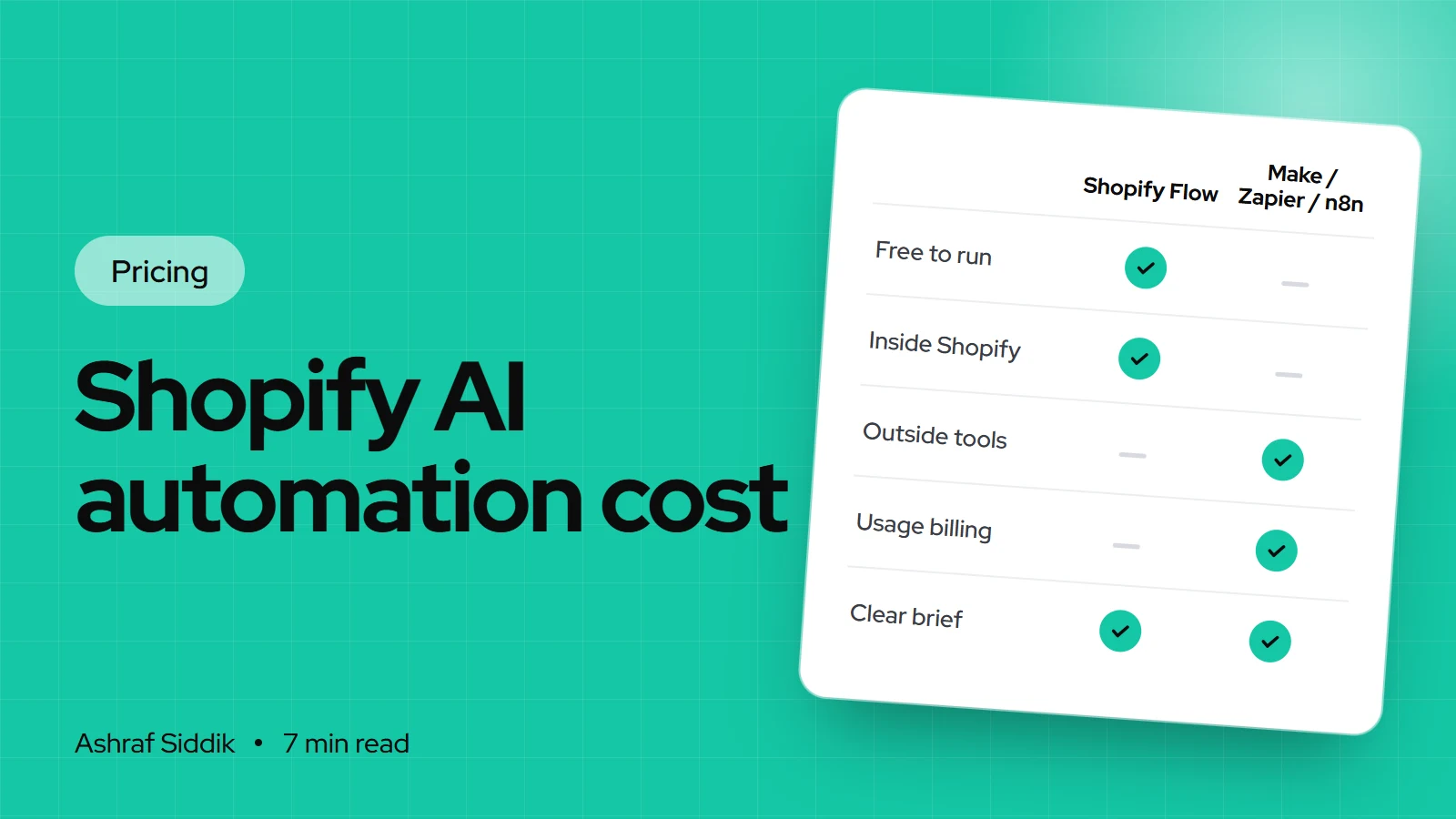
- Shopify Flow is a free app on Basic, Grow, Advanced and Plus. Its Send HTTP Request action, used to reach outside tools, needs Grow or above.
- Entry paid plans checked on 7 November 2026, billed yearly: Make Core $9 a month, Zapier Pro $19.99 a month, n8n Cloud Starter $20 a month. Self-hosted n8n Community Edition is free.
- AI features add usage costs: OpenAI's API is priced per million tokens, with input and output charged separately. Volume, not the idea, decides that bill.
- Who it is for
- Stores losing hours to repeated tasks
- Time needed
- 8 minutes to read
- What you need
- A list of tasks your team repeats
AI automation has two bills: the build, paid once, and the tools it runs on, paid every month. A cheap build on the wrong tool can cost more within a year than a careful build on a free one, so the tool choice matters as much as the quote.
I build Shopify automations and AI features for stores, so I'll show both bills and where each can be kept down. Tool prices below come from each vendor's own pricing page or documentation, as checked on 7 November 2026. They change often, so check them on the day you sign up.
What Shopify AI automation covers
"AI automation" covers two different kinds of work. Most stores need more of the first than the second.
- Rule-based automation. Order tagging and routing, low-stock alerts, fraud holds, customer tagging, reports, and hand-offs between Shopify and other tools. No AI is needed, and the running cost is often zero.
- AI features. Product content drafts, support assistants that answer from your FAQs and order data, product-finder quizzes and AI-search content. These use a model such as OpenAI or Claude, and every request has a usage cost.
Shopify itself includes some AI. Its help center says many AI features in the admin, such as generating text for product descriptions, blog posts and pages through Sidekick, are available at no additional cost, though availability varies by plan, device and language. Check what's already in your admin before paying for a separate tool.
What the automation tools cost
These are the main tools I use, with their free tiers and entry paid plans, billed yearly.
| Tool | Free tier | Entry paid plan | Billed on |
|---|---|---|---|
| Shopify Flow | Free app, all plans | – | Included |
| Make | 1,000 credits a month | Core, $9 a month for 10,000 credits | Credits |
| Zapier | 100 tasks a month | Pro, $19.99 a month for 750 tasks | Tasks |
| n8n Cloud | Community Edition if self-hosted | Starter, $20 a month for 2,500 runs | Executions |
Billed monthly instead, the same plans cost $10.59 for Make Core, $29.99 for Zapier Pro and $24 for n8n Starter. The next tiers up were Make Pro at $16, Zapier Team at $69 and n8n Pro at $50 a month, billed yearly, with n8n Pro covering 10,000 executions.
The billing unit matters more than the price. Zapier counts a task each time an action step succeeds. Make counts credits per module action, with some AI features using more. n8n counts whole workflow runs, regardless of how many steps they have. A ten-step workflow that runs 1,000 times a month is about 10,000 tasks or credits on Zapier or Make, but 1,000 executions on n8n.
Monthly tool cost for one order-routing workflow
- Shopify Flow$0Free app. Works if everything happens inside Shopify.
- Make Core$910,000 credits, billed yearly.
- Zapier Pro$19.99750 tasks, billed yearly.
- n8n Cloud Starter$202,500 executions, billed yearly.
When Shopify Flow is enough
I start with Shopify Flow whenever the job lives inside Shopify: tagging orders, holding risky ones, alerting staff about low stock, or updating metafields. It is free, and its templates cover many common store tasks.
Shopify's help center notes two limits that affect cost. The Send HTTP Request action, which lets Flow call an outside tool, is available on Grow, Advanced and Plus, not Basic. Flow's usage limits also differ by plan, based on each plan's API limits. If your workflow needs another system and you're on Basic, compare the plan upgrade with a Make, Zapier or n8n subscription. My Shopify Basic vs Grow comparison covers what else Grow adds.
What AI usage costs
AI features run on a model provider's API, billed on usage. OpenAI's pricing page lists prices per million tokens, with input and output priced separately and output usually higher. The cheapest model listed was $0.05 per million input tokens and $0.40 per million output tokens when I checked, while larger models cost many times more.
For a store, that usually means product description drafts cost very little, while a support assistant answering thousands of questions a month needs a cost estimate before launch. The choice of model, the length of each prompt and how much order data it reads all change the bill. I pick the model per task, and set a monthly spending cap with the provider.
What drives the cost of the build
- Number of workflows. One alert workflow is a small job. Ten connected workflows across order, stock and support are a project.
- Systems connected. Each outside tool, such as a warehouse, ERP, helpdesk or spreadsheet, adds mapping, testing and failure cases.
- Data quality. AI answers are only as good as the product data, FAQs and policies they read. Cleaning that data is often the biggest task.
- Rules or AI. A rule is cheap to build and run. AI needs prompts, testing on real cases and guardrails.
- Human review. Steps where a person approves content or hands over a support chat take extra design, and are worth it where accuracy matters.
- Custom app or workflow tool. Business-critical logic, or logic that must run inside Shopify's admin, may need a custom app rather than a workflow tool.
- Error handling. Alerts when a workflow fails, retries and logs add build time and save far more later.
What pushes a quote up or down
| Factor | Pushes it up | Brings it down |
|---|---|---|
| Tool | Custom app needed | Shopify Flow does the job |
| Systems | ERP, 3PL and helpdesk | Shopify plus one tool |
| AI | Customer-facing assistant | Internal drafts, reviewed by staff |
| Data | Messy product data and FAQs | Clean, complete catalogue |
| Scope | Automate everything at once | One costly task first |
Hidden costs of automation
- Volume growth. Task and credit plans scale with use. A workflow that fits a free tier at 50 orders a day may not at 500.
- AI usage. Token costs rise with traffic and longer prompts. Set a cap and review it monthly.
- Self-hosting. n8n's Community Edition is free, but the server, updates, backups and security are yours to run.
- Breakage. When a connected app changes its API, a workflow can stop. Someone has to notice and fix it.
- Review time. AI drafts still need a person to check them before they go live.
- App overlap. Some automations replace paid apps, and some add new ones. My Shopify app costs guide helps you count both sides.
What a fixed automation quote should include
- Each workflow, its trigger and what it does, in plain words.
- The tools used and their monthly cost at your current volume.
- For AI features: the model, expected usage cost and the human review step.
- Testing on real orders or questions before going live.
- Failure alerts and who receives them.
- Ownership: the workflows, accounts and API keys sit in your name.
My starting price
My AI and automation service starts from $600, with a fixed proposal covering scope, timeline and price. Custom apps start from $800, for logic that a workflow tool can't handle well. I choose the simplest tool that does the job, starting with Shopify Flow. If a paid app already solves your problem well, I'll say so. My guide to custom apps vs subscriptions explains that choice.
Next steps
- List the repetitive tasks. Note how often each happens and how long it takes.
- Check Flow first. Look at its templates in your admin for tasks that stay inside Shopify.
- Estimate volume. Count the runs per month before choosing between Make, Zapier and n8n.
- Automate the costliest task first, measure the time saved, then add the next one.
Free tools
Check your own store
Free, no sign-up. Each one runs a part of this guide for you.
Frequently asked questions
How much does Shopify AI automation cost?
There is a one-time build cost and a monthly tool cost. My AI and automation service starts from $600 with a fixed proposal, and tools range from free Shopify Flow to paid plans on Make, Zapier or n8n.
Is Shopify Flow free?
Yes. Shopify help center describes Flow as a free app on the Basic, Grow, Advanced and Plus plans. The Send HTTP Request action, which connects Flow to outside tools, needs Grow or above.
Is Make, Zapier or n8n cheaper for Shopify?
At entry level, billed yearly, Make Core was $9, Zapier Pro $19.99 and n8n Cloud Starter $20 a month on 7 November 2026. Which is cheapest in practice depends on volume, because Zapier counts tasks, Make counts credits and n8n counts whole workflow runs.
Can I self-host n8n for free?
Yes. n8n documentation says it runs as the free Community Edition without a licence key. You still pay for the server and the time to update, back up and secure it.
How much do AI features cost to run?
Model providers charge on usage. OpenAI prices its API per million tokens, with input and output priced separately. Small drafting tasks cost little, while a busy support assistant needs an estimate and a spending cap.
Does Shopify include AI features at no extra cost?
Shopify help center says many admin AI features, such as generating product descriptions through Sidekick, are available at no additional cost, though availability varies by plan, device and language.
When do I need a custom app instead of a workflow tool?
When the logic is business-critical, needs to run inside the Shopify admin or is too complex for a workflow tool to handle reliably. My custom apps start from $800.
Sources
- Shopify Flow, Shopify Help Center
- Zapier pricing, Zapier
- Make pricing, Make
- n8n pricing, n8n
- Hosting n8n, n8n Docs
- API pricing, OpenAI
Related services and work

I'm a Shopify developer and CRO specialist. I have built and improved Shopify stores since 2018, completed more than 1,000 projects, and hold a 4.96 average rating across 719 client reviews.
More guides
-
Why Shopify Stores Lose Sales on Mobile: A Practical CRO Checklist
Mobile visitors decide fast, with one thumb and plenty of distractions. Here is how to find the leaks on a Shopify store and fix them in the right order.
-
Shopify CRO Audit Checklist for DTC Brands
The checklist I use to audit DTC Shopify stores, from checking that the data can be trusted to deciding which fixes to ship first.
-
When to Build a Custom Shopify App Instead of Adding Another Subscription
Another subscription is the quickest fix, until you are paying for five apps that still don't match how your business works. Here is how to decide.
-
How to Find Out What Theme a Shopify Store Uses
Every Shopify store names its theme in the page code. Here is where to look, how to read what you find, and what it means for your own theme choice.
-
How to See What Apps a Shopify Store Uses
Apps leave traces in a store's page code: scripts from their own servers, app embed folders and pixel settings. Here is how to read them, and what to do with the list.
-
How to Name a Shopify Store (and Check the Name Is Free)
A store name has to be easy to say, free as a domain and a handle, and clear of other brands. Here is the process I use with clients, and what Shopify lets you change later.





