Cost guideCost6 min read
How Much Does Shopify B2B and Wholesale Cost?
Shopify's B2B tools now come with Basic, Grow and Advanced, not just Plus. Here is what wholesale costs on each plan, when an app is worth it and how to keep payment fees down on large orders.
Key takeaways
- Shopify's built-in B2B tools now come with the Basic, Grow, Advanced and Plus plans, as listed in Shopify's help center on 7 November 2026. You don't need Plus to sell wholesale.
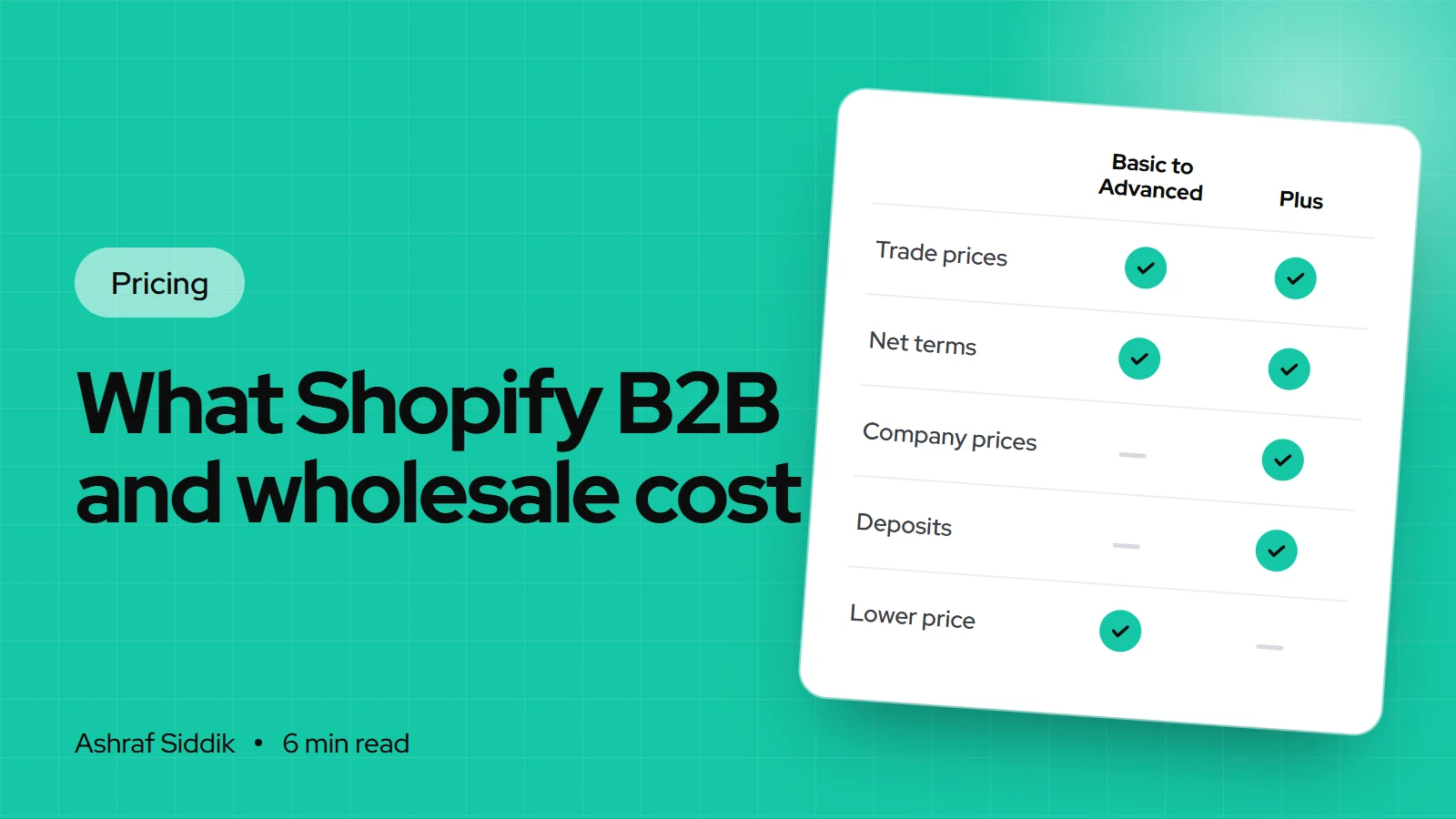
- The main limit below Plus is 3 active catalog assignments across your B2B markets. Plus adds unlimited catalogs, catalogs per company, deposits and partial payments.
- A wholesale app costs from $0 to $99 a month in the example I checked, and fills gaps such as application forms and wholesale-only shipping rates.
- On large orders, payment method matters more than plan: a $500 card payment on Grow costs $13.80 in processing, while a manual bank transfer carries no Shopify fee.
- Who it is for
- Brands adding wholesale or trade customers
- Time needed
- 7 minutes to read
- What you need
- Your price tiers, payment terms and trade order sizes
Wholesale on Shopify no longer starts at $2,300 a month. For years, B2B was a Shopify Plus feature, and many guides still say so. Shopify's help center now lists its B2B features on Basic, Grow and Advanced too, with a smaller set of tools than Plus. That changes the cost question from "can I afford Plus?" to "which plan, and do I need an app?"
Plan prices and B2B features below come from Shopify's pricing page and its B2B help pages, and app prices from the Shopify App Store, as checked on 7 November 2026. I set up wholesale on client stores, both built-in and through apps, and I'll show where each one makes sense.
The short answer
| Setup | Monthly cost | Good for |
|---|---|---|
| Built-in B2B on Basic or Grow | $19 or $49 (yearly) | Up to 3 price lists, net terms |
| Built-in B2B on Advanced | $299 (yearly) | Adds contextual checkout by market |
| Wholesale app on any plan | Plan + $0 to $99 | Forms, tags, wholesale shipping |
| Shopify Plus | From $2,300 | Prices per company, deposits |
What each plan includes for B2B
| Feature | Basic and Grow | Advanced | Plus |
|---|---|---|---|
| Companies and locations | Yes | Yes | Yes |
| Catalog assignments | 3 | 3 | Unlimited |
| Catalogs per company | – | – | Yes |
| Net terms, quantity rules, volume pricing | Yes | Yes | Yes |
| Vaulted cards, draft orders | Yes | Yes | Yes |
| Contextual checkout | – | Yes | Yes |
| Deposits and partial payments | – | – | Yes |
Two details catch people out. First, the limit of 3 counts each catalog once per B2B market it's assigned to: Shopify's own example is that one catalog assigned to 2 markets uses 2 of the 3. Second, B2B catalog features on Basic, Grow and Advanced need your store to be on the new Shopify Markets setup.
In practice, 3 catalog assignments cover a store with, say, one trade price list for retailers, one for distributors and one for a second country. If every large account has its own negotiated prices, you need Plus or an app.
What wholesale apps cost
Apps add the parts Shopify leaves out below Plus, or give smaller stores a simpler setup. Prices vary a lot between apps, so here is one popular example, BSS B2B & Wholesale Solution, as listed on 7 November 2026:
| BSS plan | Monthly | Yearly | Main additions |
|---|---|---|---|
| Free | $0 | – | 1 pricing rule, 1 form |
| Essential | $29 | $313.20 | Unlimited pricing rules |
| Advanced | $49 | $529.20 | Minimums, net terms, tax exemption |
| Platinum | $99 | $1,069.20 | Per-customer prices, ERP sync, POS |
I'm not recommending this app over others. It's a useful price marker. Before paying for one, check whether Shopify's built-in B2B already covers what you need, because built-in features don't add scripts to your storefront and don't break when an app changes its plans.
Payment costs on wholesale orders
Wholesale orders are larger, so percentage fees grow fast. Shopify's fees help page says third-party transaction fees aren't charged on manual payment methods such as bank transfers, and card processing only applies when a card is used.
A wholesaler selling $40,000 a month from 80 orders on Grow
- All paid by card$1,1042.7% + 30¢ on each $500 order through Shopify Payments.
- All paid by bank transfer$0No Shopify fee on manual payments. Your bank may charge its own.
A common setup uses both: cards for small or new accounts, net terms paid by bank transfer for regular ones. Net terms do cost you something else: you wait 30 or 60 days for the money, so factor that cash flow into your pricing.
Costs that aren't on the pricing page
- Integrations. Syncing prices, stock and orders with an ERP or accounting system often needs a custom app or a connector. My custom app work starts from $800, quoted per project.
- A separate B2B store. Shopify supports B2B in one store or a B2B-only store. On Plus, expansion stores are included. Below Plus, a second store means a second plan.
- Staff logins for sales reps. Basic has no extra staff accounts. Grow has 5 and Advanced 15.
- The Plus variable fee. Shopify says the variable platform fee on Plus differs for B2B and direct-to-consumer sales, and it doesn't publish the rate. Ask before you sign.
- Setup time. Companies, locations, catalogs and payment terms all need entering and testing. Moving an existing customer list takes longer than most people plan for.
Three example setups
| Store | Setup | Monthly cost |
|---|---|---|
| Retailer adding a trade price list | Basic, built-in B2B | $19 plus card fees |
| Brand with 3 trade tiers and a sign-up form | Grow plus BSS Advanced | $98 plus card fees |
| Wholesaler with prices per account and deposits | Plus | From $2,300 plus any variable fee |
All on US yearly billing. Put your expected card share into the fees calculator, and check your wholesale margin with the profit margin calculator, since trade prices leave less room for fees.
Ways to keep wholesale costs down
- Use one catalog per tier, not per customer. Group trade customers into 2 or 3 price tiers and you stay inside the 3 assignments on Basic, Grow and Advanced.
- Offer bank transfer on net terms for regular accounts, so large orders don't carry card processing.
- Set quantity rules and minimum order values so each trade order is big enough to be worth packing and shipping.
- Use the free tier of an app first if you only need a sign-up form, and upgrade when you hit its limit.
- Keep one store for retail and trade unless you have a clear reason to split. A second store doubles the plan, the apps and the upkeep.
- Review the app bill once a year. Built-in B2B has grown, and features you pay an app for may now be included in your plan.
Which setup do you need?
Choosing a B2B setup
- 1
Do you need deposits, partial payments or prices set per company?
Yes: Shopify PlusNo: next question
- 2
Can your trade prices fit into 3 catalog assignments?
Yes: next questionNo: add a wholesale app, or consider Plus
- 3
Do you need application forms, wholesale-only shipping or tax exemption rules?
Yes: built-in B2B plus an appNo: built-in B2B on your current plan
Start with the built-in tools. Add an app only for a specific gap, and Plus only for a feature that earns its price.
By country
- US: trade customers often buy tax-free for resale. Collect resale certificates and set tax exemptions for those customers.
- UK: trade buyers expect prices shown without VAT. Check your price display and invoices show VAT correctly.
- EU and the Netherlands: sales to VAT-registered businesses in another member state usually fall under the reverse charge. Confirm the setup with your accountant before the first order.
- Australia: trade prices are usually shown excluding GST, with GST added on the invoice.
Next steps
- List your price tiers and count how many catalog assignments they need across your markets.
- List the payment terms you offer, and whether any customer pays a deposit.
- Test the built-in B2B tools on your current plan with one real trade customer.
- Add an app or upgrade only for the gap that's left.
If you'd like help working out the setup, send me your store and your wholesale terms for a free review. My store development work starts from $300, and every wholesale setup gets a fixed quote. You can see the plan-level costs in the main Shopify store cost guide.
Free tools
Check your own store
Free, no sign-up. Each one runs a part of this guide for you.
Frequently asked questions
How much is Shopify B2B?
Shopify's built-in B2B features come with the Basic, Grow, Advanced and Plus plans, so there is no separate B2B price. As checked on 7 November 2026, those plans cost $19, $49, $299 and from $2,300 a month in the US on yearly billing or long terms. Card fees and any wholesale app come on top.
Do I need Shopify Plus for B2B?
Not any more for the basics. Companies, net terms, quantity rules, volume pricing and up to 3 catalog assignments work on Basic, Grow and Advanced. You need Plus for unlimited catalogs, catalogs assigned directly to companies, deposits and partial payments.
What are Shopify's B2B plans?
Shopify doesn't sell separate B2B plans. B2B features come with the standard plans, and the differences are in limits: Advanced adds contextual checkout, and Plus adds unlimited catalogs, direct company catalogs and advanced payment options.
How much do Shopify wholesale apps cost?
It varies by app. BSS B2B & Wholesale Solution, for example, listed a free plan and paid plans at $29, $49 and $99 a month when I checked. Compare what each plan adds with Shopify's built-in B2B before paying.
Are there transaction fees on B2B orders paid by bank transfer?
Shopify's help center says third-party transaction fees aren't charged on manual payment methods like bank transfers, and card processing applies only to card payments. Your bank may charge its own fees.
What does a Shopify wholesale setup cost to build?
It depends on the number of price tiers, customers to import and any ERP or accounting integration. My store development work starts from $300 and custom apps from $800, and every wholesale project gets a fixed quote.
Sources
- Shopify B2B features by plan, Shopify Help Center
- Shopify B2B, Shopify Help Center
- Shopify pricing, Shopify
- Shopify Plus plan, Shopify Help Center
- Fees and costs, Shopify Help Center
- BSS B2B & Wholesale Solution, Shopify App Store
Related services and work

I'm a Shopify developer and CRO specialist. I have built and improved Shopify stores since 2018, completed more than 1,000 projects, and hold a 4.96 average rating across 719 client reviews.
More guides
-
Why Shopify Stores Lose Sales on Mobile: A Practical CRO Checklist
Mobile visitors decide fast, with one thumb and plenty of distractions. Here is how to find the leaks on a Shopify store and fix them in the right order.
-
Shopify CRO Audit Checklist for DTC Brands
The checklist I use to audit DTC Shopify stores, from checking that the data can be trusted to deciding which fixes to ship first.
-
When to Build a Custom Shopify App Instead of Adding Another Subscription
Another subscription is the quickest fix, until you are paying for five apps that still don't match how your business works. Here is how to decide.
-
How to Find Out What Theme a Shopify Store Uses
Every Shopify store names its theme in the page code. Here is where to look, how to read what you find, and what it means for your own theme choice.
-
How to See What Apps a Shopify Store Uses
Apps leave traces in a store's page code: scripts from their own servers, app embed folders and pixel settings. Here is how to read them, and what to do with the list.
-
How to Name a Shopify Store (and Check the Name Is Free)
A store name has to be easy to say, free as a domain and a handle, and clear of other brands. Here is the process I use with clients, and what Shopify lets you change later.





