Shopify guideGuide7 min read
How to Connect Royal Mail Click & Drop to Shopify
Click & Drop pulls your Shopify orders into Royal Mail's free label platform and sends tracking back. Here is how to connect it, the three settings that matter, and when Shopify's own Royal Mail labels are the better choice.
Key takeaways
- Click & Drop is Royal Mail's free label platform. You connect it from inside Click & Drop under
Settings > Integrations, and it installs the Click & Drop app on your Shopify store. - Orders import roughly every 15 to 30 minutes, and Click & Drop updates order status in Shopify about every 30 minutes.
- Assign a Shopify store location in the integration settings, or orders won't be marked fulfilled and stock won't be deducted.
- Since August 2025, UK stores can also buy Royal Mail labels inside Shopify. Those labels are domestic only, so Click & Drop is still the route for international Royal Mail parcels and for selling on several channels.
- Who it is for
- UK stores shipping with Royal Mail
- Time needed
- About 30 minutes to connect
- What you need
- A Click & Drop account and Shopify admin access
There are now two ways to put a Royal Mail label on a Shopify order. In August 2025 Shopify started selling Royal Mail labels directly in the admin for stores with a UK fulfillment location. Before that, the standard route was Royal Mail's own Click & Drop, connected to Shopify so orders flow across automatically. Both work. They suit different stores.
This guide helps you pick the right one, then walks through connecting Click & Drop, the settings that matter, a daily routine and the fixes for the problems I see most. Details come from Royal Mail's Click & Drop pages and help center, the Click & Drop listing on the Shopify App Store and Shopify's help center, as checked on 7 November 2026.
Click & Drop or Royal Mail labels in Shopify
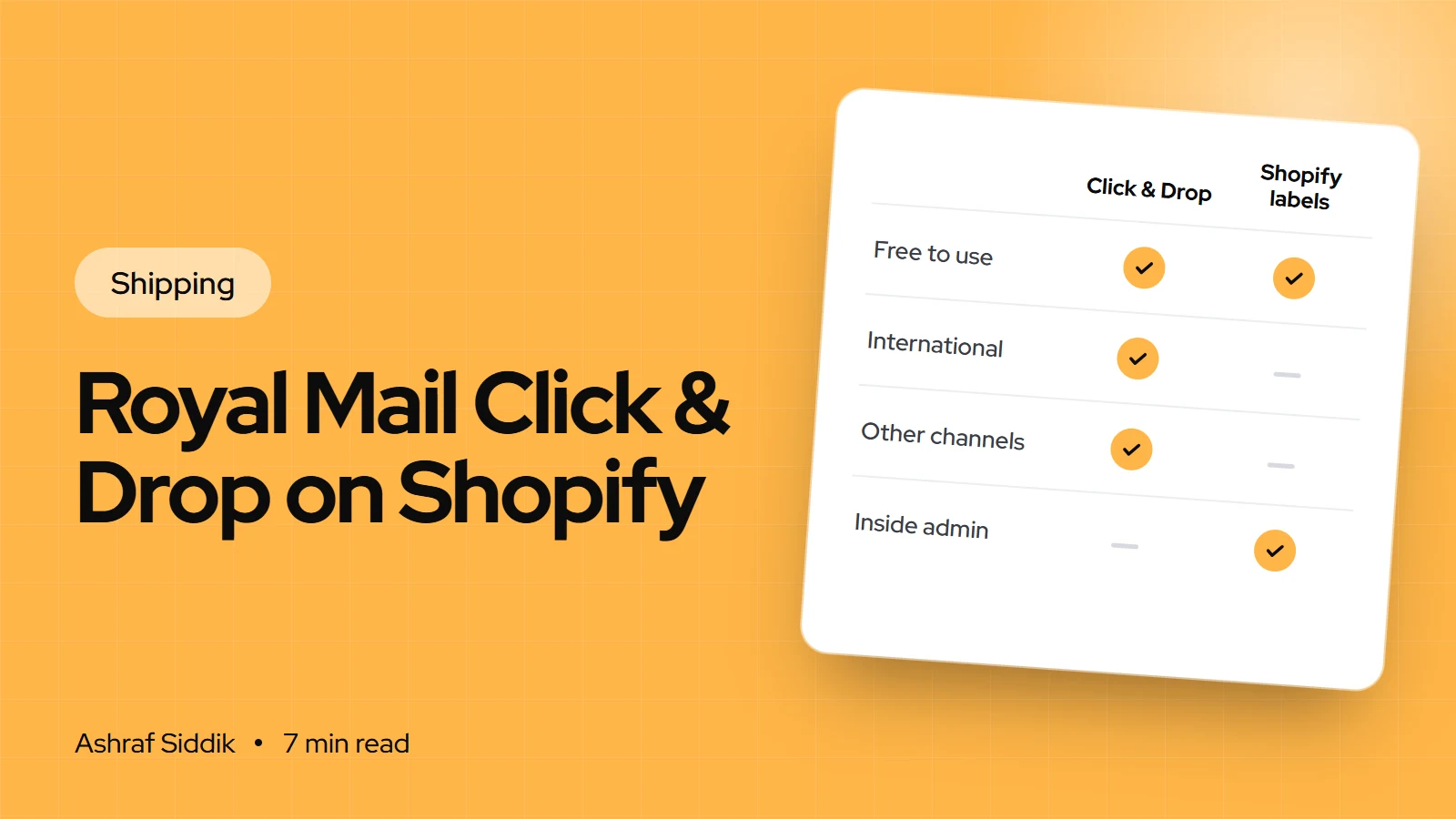
| What matters | Click & Drop | Labels in Shopify |
|---|---|---|
| Cost to use | Free, you pay postage | Included, label price on your Shopify bill |
| Postage price | Lower prices at higher volume | Based on Shopify's Royal Mail account |
| International | Yes, with customs forms | No, UK addresses only |
| Other channels | Amazon, eBay, Etsy and more | Shopify orders only |
| Where you work | Click & Drop website | Shopify order screen |
Choose labels in Shopify if you only sell on Shopify, only ship in the UK and want to do everything from the order screen. Shopify offers Tracked 24 (next business day) and Tracked 48 (1 to 2 business days), each with signature or Local Collect options, for parcels up to 20 kg and 61 × 46 × 46 cm.
Choose Click & Drop if you ship abroad, sell on marketplaces as well, want one queue for every order, or send enough parcels to qualify for Royal Mail's business rates. Royal Mail points senders of more than 20 parcels a week to an Online Business Account, which adds discounted rates and credit terms. If you're still choosing a carrier, I compare the options in Royal Mail vs Evri vs DPD.
Before you connect
- A Click & Drop account. Register on Royal Mail's Click & Drop site. You can pay by card or PayPal, or use credit terms with an Online Business Account.
- Owner or app access to Shopify. You'll approve the app install, so log in with an account that can add apps.
- Accurate product weights. Click & Drop picks services by weight, and wrong weights mean wrong postage.
- One fulfillment location. Decide which Shopify location ships Royal Mail orders. The integration works with one store location.
- Trading and return addresses. Set these up in Click & Drop so labels and despatch notes print correctly.
Step by step: connect Click & Drop to Shopify
- Open the integrations page. Log in to Click & Drop, click Settings, then click Go in the Integrations section.
- Add Shopify. Click Add new integration, then choose Shopify.
- Install the app. You're sent to the Shopify App Store listing for "Click & Drop" from Royal Mail. It's free to install. Log in to Shopify, select your store and approve the install.
- Let it redirect. You'll bounce between Shopify and Click & Drop once or twice. That's normal. A page then confirms the accounts are connected.
- Check the link. Back on the Click & Drop integrations page, the chain-link icon turns green when the connection works.
Step by step: the integration settings that matter
The default settings work for a simple store, but three of them decide whether orders flow properly. Open the Shopify integration from the integrations page to change them.
- Assign the store location. Pick the Shopify location you ship from. Without it, Click & Drop can't mark orders as fulfilled or deduct stock. Orders whose stock sits at a different location won't update.
- Decide which order statuses import. Paid, unfulfilled orders import as standard. If you split shipments, tick the box to import partially fulfilled orders too, which is off by default.
- Turn on "mark as despatched". This tells Click & Drop to mark orders complete in Shopify once you've paid for labels (personal accounts) or manifested them (Online Business Accounts).
- Save, then wait for the next import before testing.
Timing is the part people misread. Eligible orders import about every 15 to 30 minutes, and Click & Drop updates order status in Shopify about every 30 minutes. An order placed a minute ago won't be there yet, and that's not a fault. Orders older than 7 days don't import.
Match your checkout options to Royal Mail services
Customers choose a shipping option at checkout, and Click & Drop needs to turn that into a Royal Mail service. The cleanest setup is to name your Shopify options after the service you'll use.
- Create clear options. In
Settings > Shipping and delivery, open your profile, and in the UK zone click Add shipping option. Use names like "Royal Mail Tracked 48" and "Royal Mail Tracked 24". - Add transit times. Pick a transit time on each flat rate so checkout shows a delivery estimate.
- Set shipping rules in Click & Drop. Rules apply postage automatically, for example by weight or by the shipping option name. A rule that maps "Tracked 24" to the right service saves choosing it by hand on every order.
- Check weights on new products. Click & Drop doesn't use the Shopify weight the first time a SKU is imported, so you can confirm the packed weight. Check it once and later orders use it.
A daily routine that works
- Review imported orders in Click & Drop and fix any with missing weights or addresses.
- Apply rules, or set services on the orders the rules didn't catch.
- Buy and print labels in one batch, with despatch notes and, for international orders, customs declarations.
- Pack and hand over, either at one of over 130,000 drop-off points or by booking a collection from your premises.
- Mark orders as despatched. Shopify updates on the next sync, with the tracking number for tracked services.
Keep one rule: don't fulfill a Click & Drop order in Shopify by hand. Orders already marked fulfilled in Shopify, by you or by another app, before they're despatched in Click & Drop won't receive tracking numbers.
Fixing common problems
| Problem | Likely cause | Fix |
|---|---|---|
| No orders importing | Integration inactive, or orders unpaid | Reconnect from Settings > Integrations |
| Orders not marked fulfilled | No store location assigned | Set the location in integration settings |
| No tracking in Shopify | Order fulfilled in Shopify first | Leave fulfillment to Click & Drop |
| Stock not deducted | Stock held at another location | Use one shipping location |
| Split orders missing | Partial import switched off | Tick the partially fulfilled box |
If an integration shows as connected but nothing arrives, Royal Mail's own advice is to reconnect it, and if that fails, delete the integration and set it up again. Older integrations can keep settings that no longer match the store.
Common mistakes
- Starting from the Shopify App Store instead of Click & Drop, then not knowing which Royal Mail account the store is linked to.
- Skipping the store location, so orders sit as unfulfilled in Shopify with no tracking.
- Vague shipping option names like "Standard", which make rules hard to write.
- Running two label tools on the same orders. If you use Click & Drop for some orders and Shopify labels for others, decide which orders go where, for example international in Click & Drop and UK in Shopify.
- Expecting instant syncing. Allow up to 30 minutes each way.
- Sending Shopify labels to Northern Ireland. Royal Mail labels bought in Shopify can't be used for orders shipped from Great Britain to Northern Ireland.
Click & Drop setup checklist
- Route chosen: Click & Drop, labels in Shopify, or a clear split.
- Click & Drop account with trading and return addresses.
- Integration added from Click & Drop, with a green chain-link icon.
- Store location assigned in the integration settings.
- Partial imports on if you split shipments.
- "Mark as despatched" turned on.
- Checkout options named after Royal Mail services, with transit times.
- Shipping rules set up in Click & Drop.
- Test order placed, imported, labeled, despatched and showing tracking in Shopify.
Next steps
Connect the integration, place a test order and follow it all the way to the tracking email before you rely on it. Once domestic orders run smoothly, the same setup handles international parcels, which I cover in international shipping on Shopify. To cut the postage bill itself, see how to reduce shipping costs for a small store.
If your orders need more than Click & Drop's rules can handle, such as routing by product or by warehouse, that is the kind of automation I build for UK stores. AI and automation work starts from $600. See how I work with UK brands as a Shopify developer in the UK.
Free tools
Check your own store
Free, no sign-up. Each one runs a part of this guide for you.
Frequently asked questions
Is Royal Mail Click & Drop free with Shopify?
Yes. Royal Mail says Click & Drop is free to use with no monthly costs, and you pay only for postage. The Click & Drop app on the Shopify App Store is also free to install.
How do I connect Click & Drop to Shopify?
In Click & Drop, go to Settings, click Go in the Integrations section, click Add new integration and choose Shopify. Install the Click & Drop app on your store when you're redirected, and the chain-link icon turns green once the connection works.
Why aren't my Shopify orders showing in Click & Drop?
Orders import about every 15 to 30 minutes, so new ones take a while. Only paid, unfulfilled orders up to 7 days old import, and partially fulfilled orders need a setting switched on. If nothing imports, reconnect the integration from Settings > Integrations.
Why don't Click & Drop orders show as fulfilled in Shopify?
Usually because no Shopify store location is assigned in the integration settings. Without it, Click & Drop can't mark orders as fulfilled or deduct stock. Status updates also take about 30 minutes to appear.
Can I buy Royal Mail labels directly in Shopify instead?
Yes, if you have a UK fulfillment location. Since August 2025 Shopify sells Royal Mail Tracked 24 and Tracked 48 labels in the admin. They are for UK addresses only, so Click & Drop is still needed for international Royal Mail parcels.
Do I need a Royal Mail business account for Click & Drop?
No. You can pay by card or PayPal. Royal Mail suggests an Online Business Account if you send more than 20 parcels a week, for discounted rates and credit terms.
Sources
- Click & Drop, Royal Mail
- Click & Drop app listing, Shopify App Store
- How to integrate your Shopify store, Royal Mail Click & Drop Help
- Shipping with Royal Mail, Shopify Help Center
- Buy Royal Mail labels directly on Shopify, Shopify Changelog
Related services and work

I'm a Shopify developer and CRO specialist. I have built and improved Shopify stores since 2018, completed more than 1,000 projects, and hold a 4.96 average rating across 719 client reviews.
More guides
-
Why Shopify Stores Lose Sales on Mobile: A Practical CRO Checklist
Mobile visitors decide fast, with one thumb and plenty of distractions. Here is how to find the leaks on a Shopify store and fix them in the right order.
-
Shopify CRO Audit Checklist for DTC Brands
The checklist I use to audit DTC Shopify stores, from checking that the data can be trusted to deciding which fixes to ship first.
-
When to Build a Custom Shopify App Instead of Adding Another Subscription
Another subscription is the quickest fix, until you are paying for five apps that still don't match how your business works. Here is how to decide.
-
How to Find Out What Theme a Shopify Store Uses
Every Shopify store names its theme in the page code. Here is where to look, how to read what you find, and what it means for your own theme choice.
-
How to See What Apps a Shopify Store Uses
Apps leave traces in a store's page code: scripts from their own servers, app embed folders and pixel settings. Here is how to read them, and what to do with the list.
-
How to Name a Shopify Store (and Check the Name Is Free)
A store name has to be easy to say, free as a domain and a handle, and clear of other brands. Here is the process I use with clients, and what Shopify lets you change later.





