Shopify guideGuide8 min read
The Best A/B Testing Tools for Shopify Stores in 2026
Shopify now has A/B testing built in, so a paid tool has to earn its fee. Here is what each option tests, what it costs and which one fits your store.
Key takeaways
- Shopify now has its own A/B testing: Experiments, under
Markets > Rollouts, on the Grow plan and above. It tests theme changes, whole themes, discounts, catalogs and checkout settings at no extra cost. - Paid apps earn their fee when you need what Experiments doesn't do, mainly price and shipping tests, template and split URL tests, or profit reporting.
- Entry prices on the Shopify App Store ran from $49 to $99 a month when I checked, and most of them scale with your order volume or traffic.
- No tool fixes a traffic problem. A store with a few hundred orders a month can only detect large differences, whatever it pays.
- Who it is for
- Stores ready to start testing
- Time needed
- 10 minutes to read
- What you need
- Your plan, traffic and test ideas
The best A/B testing tool for many Shopify stores is the one already in the admin. For years, every test on Shopify meant a paid app or a third-party script that made pages flicker. Now Shopify's own Experiments covers the most common theme tests, and the paid tools have to justify their fee with what Shopify leaves out.
I run tests on client stores as part of my CRO work, with Shopify's tools and with apps. I have no affiliate deal with any of the companies below. Plans, prices and ratings come from each tool's Shopify App Store listing or pricing page, and Shopify's features from its Help Center, all as checked on 7 November 2026. App prices change often and most scale with volume, so check the listing for your own numbers.
The short answer
| Your situation | Best fit | Why |
|---|---|---|
| On Grow or above, testing theme edits | Shopify Experiments | Built in, no flicker, no extra fee |
| Testing prices or shipping thresholds | Intelligems | Built around price, discount and shipping tests |
| Theme and template tests on a budget | Elevate | Lowest entry price I found, at $49 a month |
| A team that wants a testing roadmap too | Shoplift | Higher plans add strategy sessions and audits |
| Paying per test order, with checkout tests on Plus | ABConvert | Plans priced by included test orders |
| Testing a headless store or several sites | General platform | Shopify's tools cover the online store only |
What a Shopify testing tool has to get right
Most "best A/B testing tools" lists rank general website tools. A Shopify store has extra needs, and these are the questions I ask before recommending one:
- Does it flicker? Tools that swap content with a script after the page loads can show the original version for a moment. Shoppers notice, and it can skew results. Shopify's Experiments assigns the visitor before the page loads.
- Can it test what you want to change? Content and layout tests are common. Price, shipping and checkout tests are not, and they need deeper Shopify integration so the cart and checkout show the right number.
- What does it measure? Conversion rate alone can mislead. For price and offer tests you need revenue per visitor or profit, which means the tool must know your order values and ideally your product costs.
- How does it decide a winner? Look for a stated method, such as a Bayesian engine, and a clear warning when a test is underpowered.
- What does it cost at your size? Pricing by orders or visitors means the fee grows as you grow. Work out next year's bill, not this month's.
- What does it do to speed? Every app adds code. Check your store with a speed checker before and after installing.
Shopify Experiments: the built-in option
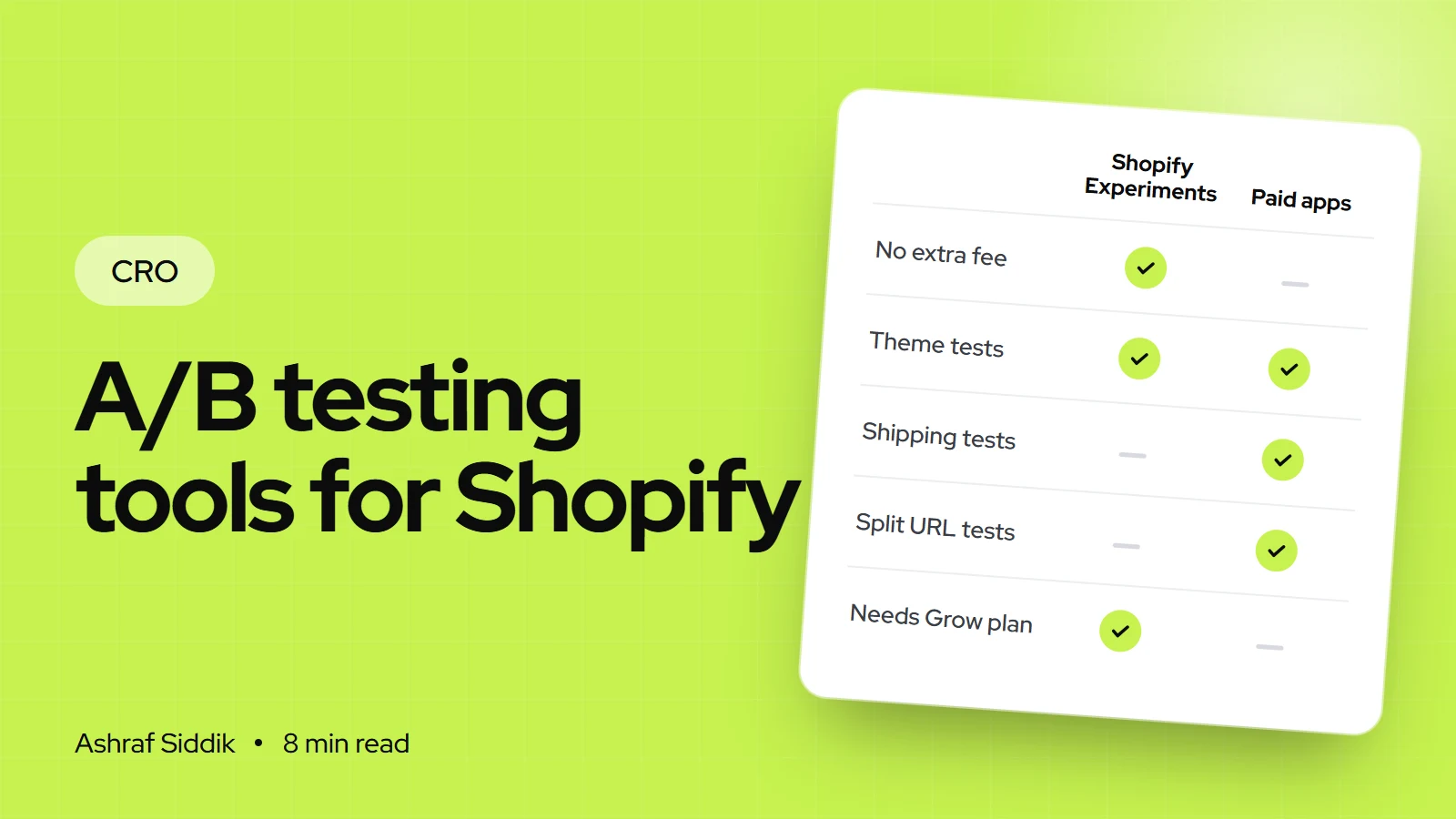
Shopify's testing lives inside Rollouts, which publish changes to your store to all visitors or to a share of them. An Experiment is the kind of rollout that splits visitors into a control group, who see the store as it is, and a treatment group, who see your changes.
- Plan: Rollouts work on Basic and above, but Experiments need the Grow plan or higher.
- Where:
Markets > Rolloutsin your Shopify admin. Staff need the Rollouts permission, and theme edits also need the permission to edit theme code. - What you can test: edits to your current theme made in the theme editor, a different theme, discounts (up to 250 per rollout), catalog changes and checkout and accounts configuration.
- Metrics: for theme Experiments, conversion rate over time, bounce rate, reached checkout rate and add to cart rate. Checkout Experiments report checkout conversion rate.
- Assignment: each visitor gets a group before the page loads, so there is no flicker, and the group is stored in an essential cookie. Only visitors who gave consent are counted in results, and anyone who sees both versions is left out.
The limits matter. Liquid templates can't be changed in a rollout, and vintage themes aren't supported, so you test what the theme editor can do. Headless storefronts aren't covered. Google feeds and third-party apps can show different prices than your store while a price-related Experiment runs. And the Help Center doesn't explain how significance is calculated, so you have to judge the numbers yourself.
The Shopify A/B testing apps worth shortlisting
These four are built for Shopify, and each one leans towards a different kind of test. Ratings are from their App Store listings on the day I checked.
Intelligems: A/B Testing (4.8 from 201 reviews) is the one I think of for price and shipping tests. Its plans are split by job: Smart Content at $69 a month for landing pages, themes and content, Smart Merchandise and Smart Shipping at $112.10 a month each for offers and shipping rules, and Unlimited at $349 a month, which adds price testing, checkout and post-purchase tests. Pricing scales with your store's order volume, and each paid plan has a 14-day free trial.
Shoplift: CRO and A/B Testing (4.9 from 134 reviews) focuses on theme, template and split URL tests across product pages, collections, landing pages, cart, search and navigation, with one-click apply of the winner. Core is $99 a month, or $888 a year. Advanced, at $399 a month, adds price testing, Recharge subscription tests and audience personalization. Pro, at $999 a month, adds a testing roadmap and strategy calls. Pricing is based on monthly unique visitors, with a 14-day trial.
Elevate A/B Testing Price Test (4.9 from 145 reviews) had the lowest entry price I found. Basic is $49 a month for template, theme, split URL and content tests, with a Bayesian stats engine and profit metrics based on your own product costs. Standard, at $99 a month, adds price, subscription price, shipping, product image and checkout tests. Premium is $499 a month. Pricing scales with order volume, and paid plans have a 14-day trial.
ABConvert: A/B Testing (4.7 from 84 reviews) prices by test orders. Starter is $99 a month with 1,000 test orders included, Growth is $199 with 5,000 and adds price and shipping tests, and higher plans go to $399 and $599. Its listing says checkout content, cart and upsell tests need Shopify Plus, and shipping tests need a plan with Carrier Service API access.
General website testing tools
General website testing platforms, such as Convert, Optimizely and VWO, are built for teams that test several sites, apps or a large content site as well as a store. They can test a Shopify storefront, but they are priced and staffed for testing programs with a dedicated person running them. For a single Shopify store, I'd only consider one when:
- You already use it on another site and want one place for every test.
- You test outside the store, such as a headless front end, which Shopify's Experiments doesn't cover.
- Someone on your team tests full-time and needs advanced targeting, server-side tests or a data warehouse export.
Check how each platform handles Shopify prices, cart and checkout before you sign. A content test is easy on any tool. A test that has to change what the checkout charges is not.
Prices at a glance
| Tool | Entry price | Priced by | Price tests |
|---|---|---|---|
| Shopify Experiments | Included on Grow ($65 a month) | Your Shopify plan | Through catalogs and discounts |
| Elevate | $49 a month | Order volume | From $99 a month |
| Intelligems | $69 a month | Order volume | On Unlimited, $349 a month |
| Shoplift | $99 a month | Unique visitors | From $399 a month |
| ABConvert | $99 a month | Test orders | From $199 a month |
Shopify's Grow plan is $65 a month billed monthly or $49 billed yearly in the US. Entry prices are monthly billing, before any volume-based increase.
How to choose in three questions
Which A/B testing tool should you use?
- 1
Are you on Shopify Grow or above, and testing theme or layout changes?
Yes: start with Shopify ExperimentsNo: next question
- 2
Do you need to test prices, shipping thresholds or offers?
Yes: Intelligems, Elevate Standard or ABConvert GrowthNo: next question
- 3
Do you need template or split URL tests the theme editor can't build?
Yes: Elevate Basic or Shoplift CoreNo: you may not need a paid tool yet
Whatever you pick, take the free trial and run one real test before you commit to a yearly plan.
Common mistakes when choosing a tool
- Buying a tool before you have ideas worth testing. The tool runs tests. Research decides which tests are worth running.
- Testing with too little traffic. Small stores end up with "no winner" again and again and blame the tool.
- Judging price tests on conversion rate. A lower price nearly always converts better. Profit per visitor tells you whether it paid.
- Stacking two testing tools. Two tools changing the same page can collide and corrupt both results.
- Forgetting the app after the trial. Remove the app and its code when you stop testing.
Checklist before you pay for a tool
| Check | Why | Done when |
|---|---|---|
| Traffic and orders | Sets what you can detect | Sample size worked out |
| Test backlog | Shows the tests you need | Five ideas, ranked |
| Shopify plan | Experiments needs Grow | Plan confirmed |
| Test types | Price and checkout tests are rarer | Tool supports your top idea |
| Cost at your volume | Fees scale with growth | Next year's bill estimated |
| Speed | Scripts add load time | Before and after checked |
Next steps
Write down the three tests you most want to run, then check which tool on this list can run all three at your traffic level. If Shopify Experiments covers them, start there this week. My step-by-step guide on how to A/B test a Shopify store walks through the setup, the sample size math and how to read the result.
If you don't know which tests are worth running yet, start with research instead: my Shopify CRO audit checklist helps you find the leaks first. When you'd like help building a testing plan, my Shopify CRO service starts from $500, with a free review first.
Free tools
Check your own store
Free, no sign-up. Each one runs a part of this guide for you.
Frequently asked questions
Does Shopify have a built-in A/B testing tool?
Yes. Shopify Experiments is part of Rollouts, found under Markets > Rollouts in the admin. It is available on the Grow plan and above and can test theme edits, a different theme, discounts, catalogs and checkout settings.
What is the best A/B testing tool for Shopify?
For theme and layout tests on Grow or above, Shopify Experiments is the best place to start because it is built in and doesn't flicker. For price and shipping tests, a Shopify-specific app such as Intelligems or ABConvert is the better choice.
How much do Shopify A/B testing apps cost?
Entry plans on the Shopify App Store ranged from $49 to $99 a month when I checked on 7 November 2026, with price testing usually on higher plans. Most apps scale their price with order volume or traffic, so check the listing for your own numbers.
Is there a free A/B testing tool for Shopify?
Shopify Experiments has no extra fee if you are already on Grow or above. Most paid apps also offer a 14-day free trial, which is long enough to set up and run one real test.
Can I A/B test prices on Shopify?
Yes, with an app that supports price tests, such as Intelligems on its Unlimited plan, Shoplift Advanced or ABConvert Growth. Judge price tests on profit or revenue per visitor, not conversion rate, because a lower price nearly always converts better.
Do A/B testing apps slow down a Shopify store?
Every app adds some code, and tools that change the page with a script after it loads can cause flicker. Check your store speed before and after installing, and remove the app and its code when you stop testing.
Sources
- Requirements and considerations for using rollouts, Shopify Help Center
- Rollout analytics, Shopify Help Center
- Intelligems: A/B Testing, Shopify App Store
- Shoplift: CRO and A/B Testing, Shopify App Store
- Elevate A/B Testing Price Test, Shopify App Store
- ABConvert: A/B Testing, Shopify App Store
Related services and work

I'm a Shopify developer and CRO specialist. I have built and improved Shopify stores since 2018, completed more than 1,000 projects, and hold a 4.96 average rating across 719 client reviews.
More guides
-
Why Shopify Stores Lose Sales on Mobile: A Practical CRO Checklist
Mobile visitors decide fast, with one thumb and plenty of distractions. Here is how to find the leaks on a Shopify store and fix them in the right order.
-
Shopify CRO Audit Checklist for DTC Brands
The checklist I use to audit DTC Shopify stores, from checking that the data can be trusted to deciding which fixes to ship first.
-
When to Build a Custom Shopify App Instead of Adding Another Subscription
Another subscription is the quickest fix, until you are paying for five apps that still don't match how your business works. Here is how to decide.
-
How to Find Out What Theme a Shopify Store Uses
Every Shopify store names its theme in the page code. Here is where to look, how to read what you find, and what it means for your own theme choice.
-
How to See What Apps a Shopify Store Uses
Apps leave traces in a store's page code: scripts from their own servers, app embed folders and pixel settings. Here is how to read them, and what to do with the list.
-
How to Name a Shopify Store (and Check the Name Is Free)
A store name has to be easy to say, free as a domain and a handle, and clear of other brands. Here is the process I use with clients, and what Shopify lets you change later.





