Shopify guideGuide8 min read
How to Set Up a Loyalty Program on Shopify
Shopify has no built-in points program, but it has store credit, segments and Flow, and the loyalty apps fill the gap. Here is how to design rewards that pay for themselves and set them up.
Key takeaways
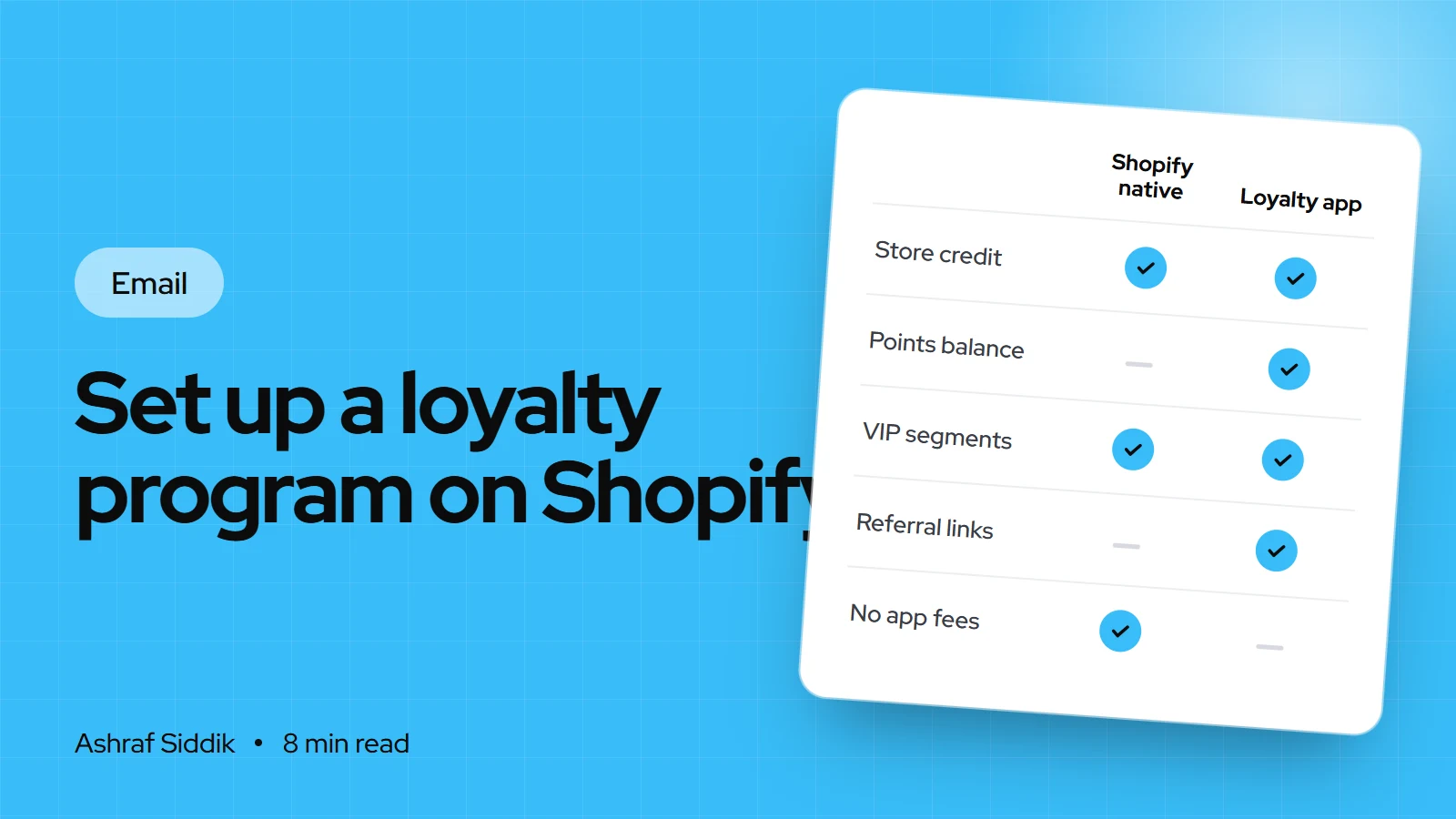
- Shopify has no built-in points program. It does have store credit, customer segments, Shopify Flow and a "Welcome VIP customers" email template, which together cover a simple VIP program without an app.
- For points and referrals you need a loyalty app. Smile, Rivo and BON all had free plans when I checked on 7 November 2026, with limits of 150 to 200 orders a month.
- VIP tiers usually sit on higher plans: Smile's Growth plan at $199 a month, Rivo's Scale plan from $49 a month and BON's Growth plan at $129 a month.
- Work out what a reward costs you before you set earning rules. A program that gives back 5% of every order needs margin to pay for it.
- Who it is for
- Stores with repeat buyers
- Time needed
- Half a day to set up
- What you need
- Margin figures and admin access
A loyalty program is a promise: buy from us again and you get something back. Customers judge it on one thing, whether the reward feels worth the effort. Store owners should judge it on another, whether it brings customers back sooner than they would have come anyway.
I set up loyalty programs on Shopify stores, and the ones that work are simple, generous enough to notice and cheap enough to sustain. This guide shows what Shopify does natively, how the main loyalty apps compare, how to design the rewards, and the setup steps, from the app to Shopify Flow. App prices and Shopify features come from the Shopify App Store and help center, as checked on 7 November 2026.
What Shopify has built in
Shopify has no native points program, but it has the pieces for a basic one:
- Store credit. You can issue credit from a customer's profile, with an optional expiry date. Customers spend it in the online store, Shopify POS or Shop, when signed in through the new customer accounts.
- Customer segments. Rule-based lists such as "spent over $500" or "placed three or more orders", which update by themselves.
- Shopify Flow. A free automation app on Basic, Grow, Advanced and Plus. Its templates include "Organize customers by lifetime spend tiers".
- Shopify Messaging templates. "Welcome VIP customers", "Celebrate customer birthday" and "Thank customers after they purchase".
What you can't do natively is let customers earn and spend points, show a points balance in the store or run a referral program. That is what loyalty apps add.
The four types of loyalty program
| Program type | How it works | Suits |
|---|---|---|
| Points | Earn points per order, spend them on rewards | Stores with regular repeat purchases |
| VIP tiers | Higher spend earns better perks | Stores with a clear top group of customers |
| Referrals | Customers earn for bringing friends | Products people talk about or gift |
| Simple perks | A thank-you reward at set milestones | Low-frequency or high-ticket stores |
Most stores I work with start with points and add tiers or referrals later. If customers buy once every year or two, such as furniture or bridal, points rarely build up fast enough to matter. A thank-you reward on the second order works better. Referrals have their own guide: how to set up a referral program on Shopify.
The best Shopify loyalty program apps compared
There are dozens of loyalty apps. These four come up most often in the stores I review, and all have strong ratings on the Shopify App Store.
| App | Free plan | Paid from | VIP tiers on |
|---|---|---|---|
| Smile | Up to 200 orders a month | $15 a month | Growth, $199 a month |
| Rivo | Up to 200 orders a month | $15 a month | Scale, from $49 a month |
| BON | Up to 150 orders a month | $15 a month | Growth, $129 a month |
| LoyaltyLion | Up to 400 orders a month | $199 a month | Listed as a feature |
A few details matter more than the headline price. Smile's free plan includes points, rewards and referrals, while Rivo lists referrals on its Scale plan. BON includes an anti-cheat referral program on its free plan. LoyaltyLion's paid Classic plan includes Klaviyo loyalty flows built for you. Rivo's Scale plan charges $49 for 400 orders, then $20 per 100 more, capped at $499 a month, so model your order volume before you choose. All prices are as checked on 7 November 2026.
My rule for choosing: pick the app whose free or entry plan covers the program you will actually launch, check that it connects to your email tool, and check that its widget doesn't slow your theme. Every app adds code to the storefront, which is one reason I keep app counts low. My guide to what apps a Shopify store uses explains how to keep the list lean.
Design the rewards before you install anything
The earning rules decide what the program costs. Set them from your margin, not from what other stores offer. Start with three decisions:
- The effective rebate. Decide what share of spend you are willing to give back. That is the true cost of the program.
- The first reward. Make it reachable within one or two typical orders, or customers forget the program exists.
- The reward type. A fixed discount, free shipping, a free product or store credit. Free products often feel bigger to the customer than they cost you.
Example: a points program for a store with a $60 average order
- Earn rate1 point per $1A $60 order earns 60 points.
- First reward100 points$5 off, reached on the second order.
- Effective rebate5%$5 back for every $100 spent.
Add a few non-purchase ways to earn, such as creating an account, a birthday or leaving a review, but keep the list short. If you reward reviews, don't make the points depend on the review being positive.
Setting up a loyalty app, step by step
The menus differ between apps, but the order of work is the same. I'll use the typical setup:
- Turn on the new customer accounts. Go to
Settings > Customer accounts. Loyalty balances live on the account, and Shopify store credit only works with the new accounts. My guide to setting up customer accounts walks through it. - Install the app. Add it from the Shopify App Store and approve its permissions. Start on the free or trial plan.
- Set the earning rules. Points per $1 spent, plus any extras like account creation and birthdays. Decide whether points are earned on the order total or the subtotal before shipping and tax.
- Set the rewards. Create the first reward and one or two larger ones. Choose whether rewards are discount codes or store credit, and whether points expire.
- Brand the widget. Match colors and fonts, then enable the app embed or blocks in
Online Store > Themes > Customize. Show points on product pages if the app supports it. - Add a program page. A short page explaining how to earn and spend, linked from the footer and the account page.
- Connect email. Sync points balances to Klaviyo or Shopify Messaging so you can send "you have a reward waiting" emails.
- Test it. Place a test order, check the points arrive, redeem a reward and confirm the discount or credit applies at checkout.
A simple VIP program without an app
If points feel too much, Shopify's own tools can run a VIP program that costs nothing in app fees:
- Create the VIP segment. In
Customers > Segments, clickCreate segmentand use a filter such asamount_spent > 500ornumber_of_orders >= 3. Save it. - Tag VIPs with Flow. Use the Flow template "Organize customers by lifetime spend tiers" to add a tag such as
vipwhen customers cross your threshold. - Welcome them. In
Apps > Messaging > Automations, use the "Welcome VIP customers" template. Its default VIP is a customer on their third order who has spent at least $1,000, or anyone tagged VIP. Edit it to match your segment. - Give the perk. Issue store credit from the customer profile, or create a discount limited to the VIP segment.
It lacks a points balance and a widget, but for stores with a small group of loyal customers it is often enough.
Launching the program
A program nobody knows about does nothing. On launch day, I email the whole list with the rules and a starting bonus, add the program to the welcome series and post-purchase emails, and put a line on the account page and product pages. After that, the reminders do the work: a monthly points balance email and a "you can redeem a reward" trigger when customers cross a threshold.
How to measure it
In Analytics > Reports, Shopify's customer reports include New vs returning customers, Returning customers, Customer cohort analysis with a retention rate, and RFM customer analysis. Compare these for a few months before and after launch. In the app, check how many members redeem rewards, and what those rewards cost against the extra orders.
Be careful with "revenue from members". Your best customers join first, so members always look better than non-members. The real question is whether customers return sooner or more often than before the program.
Common mistakes
- A first reward that is too far away. If it takes five orders to earn anything, most customers never see a reward.
- Rewards set without checking margin. A 10% rebate on a 30% margin product is expensive.
- Too many ways to earn. Twelve actions confuse people. Four or five is plenty.
- No emails. Customers forget points unless you remind them.
- Old customer accounts. Store credit and many account features need the new accounts.
- Stacking every discount. Decide whether loyalty rewards combine with sale codes, or margins disappear in a sale.
Loyalty program checklist
- Program type chosen to fit how often customers buy.
- Effective rebate calculated against gross margin.
- First reward reachable within one or two orders.
- New customer accounts on, app installed, widget branded.
- Program page published and linked from footer and account page.
- Points data synced to your email tool, with balance and reward emails live.
- Test order placed, points earned and reward redeemed at checkout.
- Repeat rate and reward cost reviewed monthly.
Next steps
Write down your margin, choose the program type, and model the rebate before you install an app. Then launch with one or two rewards and add more once you see redemptions. For a wider plan to bring customers back, read my guide to increasing repeat purchases. If you want the program set up and connected to your emails, CRO projects start from $500.
Free tools
Check your own store
Free, no sign-up. Each one runs a part of this guide for you.
Frequently asked questions
Does Shopify have a built-in loyalty program?
No. Shopify has no native points program. It does have store credit, customer segments, Shopify Flow and a Welcome VIP customers email template, which can run a simple VIP program. For points, rewards widgets and referrals you need an app.
What is the best Shopify loyalty program app?
It depends on the program you'll launch. Smile's free plan includes points, rewards and referrals for up to 200 orders a month, BON's free plan includes referrals for up to 150 orders, and Rivo and LoyaltyLion suit stores that want more advanced plans. Check prices on the day you install.
How much does a Shopify loyalty program cost?
The apps range from free plans to $199 a month or more for VIP tiers and higher order volumes, as checked on 7 November 2026. The bigger cost is the rewards themselves, so calculate the share of spend you give back.
Can I use Shopify store credit for loyalty rewards?
Yes. You can issue store credit from the customer's profile, with an optional expiry date. Customers redeem it in the online store, POS or Shop when signed in through the new customer accounts. It isn't available with legacy accounts.
Should loyalty points expire?
Expiry reduces the long-term cost of unredeemed points and can prompt customers to come back. If you use it, give a long window and send a reminder email before points expire.
Is a loyalty program worth it for a small store?
Often yes, if customers buy more than once a year. Start on a free plan with one simple reward. If customers buy rarely, a thank-you reward on the second order usually works better than points.
Sources
- Smile: Loyalty Program Rewards, Shopify App Store
- Rivo: Loyalty Program, Rewards, Shopify App Store
- BON Loyalty Program & Rewards, Shopify App Store
- LoyaltyLion Loyalty & Rewards, Shopify App Store
- Store credit, Shopify Help Center
- Creating and managing marketing automations, Shopify Help Center
Related services and work

I'm a Shopify developer and CRO specialist. I have built and improved Shopify stores since 2018, completed more than 1,000 projects, and hold a 4.96 average rating across 719 client reviews.
More guides
-
How to Set Up a Referral Program on Shopify
A referral program turns happy customers into a tracked source of new ones. Here is how to price the rewards, choose an app, set it up and keep it free of abuse.
-
How to Set Up SMS Marketing for Your Shopify Store
SMS marketing reaches customers in seconds, which is exactly why the rules are strict. Here is how to set it up properly in the UK and US, with real costs, menus and example messages.
-
Klaviyo for Shopify: The Complete Setup Guide
Klaviyo is the email and SMS tool most growing Shopify stores use, and most of its problems come from setup. Here is how to connect it properly, what it costs and which flows to build first.
-
How to Get More Repeat Customers in Your Shopify Store
Repeat customers cost nothing to find a second time. Here is how to measure them in Shopify and the tactics I set up to bring them back, from the second order to win-backs.