Shopify guideGuide10 min read
How to Set Up SMS Marketing for Your Shopify Store
SMS marketing reaches customers in seconds, which is exactly why the rules are strict. Here is how to set it up properly in the UK and US, with real costs, menus and example messages.
Key takeaways
- In the UK, PECR treats a text message exactly like a marketing email: you need specific consent, or the "soft opt-in" for existing customers, plus your identity and an opt-out in every message.
- Shopify Messaging sends SMS marketing to the UK, the US, Canada and several EU countries. When I checked, a UK message cost $0.06 and a US message $0.012, and a long message is billed for every part.
- UK sending in Shopify Messaging and Klaviyo uses a branded sender name by default. US sending uses a toll-free number that takes about 2 to 5 business days to verify.
- In the US, marketing texts sent with an autodialer need prior express written consent under the TCPA, and consent can't be a condition of purchase.
- Who it is for
- UK and US stores adding SMS
- Time needed
- Half a day, plus US verification
- What you need
- Policies, a sender name, a sign-up form
A text message gets read in a way an email rarely does. That is the whole appeal of SMS marketing, and also the risk: send too often, or to people who never agreed, and the unsubscribes and complaints arrive within minutes. Done carefully, SMS works best as a small, high-attention channel next to email, not a replacement for it.
I set up SMS for Shopify stores in the UK, the US and Europe. This guide covers the rules in each market, how to choose a platform, step-by-step setup in Shopify Messaging and Klaviyo, how to collect numbers properly, example messages, and how to tell whether it pays. Prices, menus and rules come from Shopify, Klaviyo, the ICO, the US Code of Federal Regulations and CTIA, as checked on 7 November 2026.
What SMS marketing is good for
SMS costs money per message, so it suits messages where speed matters and the list is smaller than your email list. The uses that fit a Shopify store:
- Time-sensitive offers. A sale ending tonight, an early-access window for subscribers, a restock of a product that sold out.
- Launches. A new product or a limited drop, sent to people who asked to hear first.
- Recovery. An abandoned checkout text, sent to subscribers only, as part of the sequence in my abandoned cart email guide.
- Welcome. A single text confirming the sign-up and delivering any promised code.
Newsletters, long stories and product education stay in email. A text should make sense in one glance on a lock screen.
SMS marketing rules in the UK
The UK rules are in regulation 22 of PECR, and the ICO's guidance is clear that they apply to texts as well as emails. The term "electronic mail" in PECR explicitly includes messages sent by short message service. In practice:
- Consent or soft opt-in. You can text an individual who specifically consented, for example by ticking an unticked box. You can also text an existing customer who bought, or negotiated to buy, a similar product from you, if you gave them a simple way to opt out when you collected their number and in every message.
- No bought lists. The soft opt-in doesn't cover prospects or contacts from bought lists. There is no text version of the Telephone Preference Service, because the consent rule makes one unnecessary.
- Say who you are. You must not hide your identity, and you must give a valid way to opt out.
- Sole traders count as individuals. Companies and LLPs can be texted without consent, but the ICO recommends keeping a do-not-text list of businesses that object.
UK GDPR applies as well, because a phone number is personal data, so your privacy policy must say how you use it. The ICO notes its PECR guidance is under review after the Data (Use and Access) Act, so check the current version before a big launch.
The US and EU rules
If you also sell to the US, the rules are stricter and the penalties higher. Under the FCC's TCPA rules, a marketing message sent with an automatic dialing system to a mobile number needs the recipient's prior express written consent. That is a written agreement, which can be electronic, that clearly authorizes your messages and tells the person they don't have to agree as a condition of buying anything. The same rules limit telemarketing to residential subscribers to between 8 a.m. and 9 p.m. in the recipient's local time.
US carriers also follow CTIA's Messaging Principles and Best Practices. They ask for a clear call to action at sign-up (program description, who is sending, fees, how to opt out, a link to terms and privacy policy), a confirmation message before any marketing, and an opt-out that honors "STOP" and plain words like "cancel", "end", "quit" and "unsubscribe".
In the EU, Article 13 of the ePrivacy Directive defines electronic mail to include text messages and requires prior consent, with the same existing-customer exception as the UK. Each member state adds its own details. Klaviyo, for example, enforces mandatory quiet hours for recipients in France.
Choosing an SMS marketing platform
For most Shopify stores the choice is between Shopify's own app and the SMS features of the email tool you already use. Keeping email and SMS in one tool makes it easier to stop someone getting both a text and an email about the same cart.
| Platform | UK sender | Price | Best for |
|---|---|---|---|
| Shopify Messaging | Branded sender name | $0.06 a UK message, $0.012 a US message | Small lists, no extra tool |
| Klaviyo | Branded sender ID by default | SMS plan from $15 a month with 1,250 credits | Stores already on Klaviyo |
| Omnisend | Check per country | SMS on Pro, from $59 a month | Stores already on Omnisend |
Prices are from Shopify's SMS pricing page and the Klaviyo and Omnisend App Store listings, as checked on 7 November 2026. Shopify Messaging bills each message per recipient on your monthly Shopify bill, under "Messaging", and adds $2.15 a month for each approved US or Canadian toll-free number. It also gives you 25 free test messages a week.
Setting up SMS in Shopify Messaging
Your store needs a paid plan, the Online Store channel and a payment provider. Stores on a free trial can build campaigns but can't send them to subscribers.
- Publish your policies. Add a privacy policy and terms of service under
Settings > Policies. Shopify's SMS requirements say the terms must include message frequency, opt-out instructions and that data rates may apply. - Add countries. Go to
Apps > Messaging > Settings > SMS. In "Targeted countries for SMS marketing", clickAdd countries, choose them and clickNext. - UK and EU: create the sender name. Fill in
Create sender namewith your brand and clickDone. You can send as soon as it is set. - US and Canada: register the toll-free number. Complete the contact, business, privacy policy and terms of service sections. Verification takes about 2 to 5 business days, and the number can't receive replies.
- Collect numbers at checkout. Under
Settings > Checkout, make the shipping phone number optional or required, then inMarketing opt-inset SMS toCheckout only. - Add a sign-up form. Install the free Shopify Forms app and create a form with an SMS field, alongside or after the email field.
- Send a test. Create a campaign, send it to your own phone, and check the sender name, link and opt-out wording before sending to anyone else.
Setting up SMS in Klaviyo
- Open the settings. Click your account name, then
Settings > Text message, and click "Set up texting for free". - Choose countries. Tick every country you will text. For the US or Canada, add your legal business details, privacy policy URL and mobile terms URL.
- Confirm the sender. In the UK the default is a branded sender ID. It can't receive replies, so subscribers opt out through an unsubscribe link, and keyword sign-ups and two-way chat aren't available. For two-way texting in the UK, a long code needs a paid SMS plan.
- Wait for US verification. Toll-free verification takes 2 to 5 business days, and not every industry qualifies.
- Sync Shopify subscribers. In the Shopify integration, enable the text message subscriber sync and send it to a separate SMS list.
- Check quiet hours. Klaviyo's default uses each profile's location, and its guideline is no texts before 8 a.m. or after 9 p.m. local time. Some US states are stricter.
Collecting numbers the right way
A clean list is worth more than a big one. These are the rules I follow on every store:
- Unticked box, separate from email. Consent to email is not consent to text. Ask for each one on its own.
- Say what they'll get. Example wording: "Text me offers and new arrivals from [Brand], up to 4 a month. Msg and data rates may apply. Reply STOP to opt out. Terms and Privacy." Adjust the frequency to what you will really send.
- Keep the record. CTIA suggests storing the time of consent, where it was given, the wording shown, the phone number and the IP address. Shopify and Klaviyo store most of this on the profile, so don't import numbers without it.
- Never require it. A code for signing up is fine. Making SMS consent a condition of checkout is not.
- Don't ask for friends' numbers. The ICO advises against asking customers for their friends' contact details, because you can't show those friends consented.
SMS marketing examples
Every message follows the same skeleton: brand name first, one reason to read, one short link, and the opt-out. A few structures I use:
- Welcome: "[Brand]: thanks for joining. Here's 10% off your first order: CODE. Shop: [link] Reply STOP to opt out."
- Restock: "[Brand]: the [product] is back in your size. Limited stock this time. [link] STOP to opt out."
- Early access: "[Brand]: our sale opens to subscribers 24 hours early. Starts now: [link] STOP to end."
- Abandoned checkout: "[Brand]: your [product] is still in your cart. Finish your order here: [link] STOP to opt out."
With a branded sender in the UK, replace "Reply STOP" with the unsubscribe link your platform adds, because the sender can't receive replies. Keep messages to one part where you can. Shopify bills a message that runs past the character limit for every part, so a two-part text to 100 people is billed as 200.
Cost of one send to 2,000 subscribers in Shopify Messaging
- UK, one part$1202,000 messages at $0.06.
- UK, two parts$240Each part billed, so 4,000 messages.
- US, one part$242,000 messages at $0.012.
- US, two parts$48Plus $2.15 a month for the toll-free number.
How to tell whether SMS pays
Because every text has a cost, judge each send on profit, not clicks. For each campaign, note the cost from Settings > Billing, where Shopify lists Messaging charges per period, and compare it with the orders attributed to the campaign and your margin on them. My profit margin calculator helps turn revenue into profit.
Watch the unsubscribe count on every send. A spike after one message tells you the offer or timing missed. Set Shopify's monthly spending alert so a large send never surprises you.
Common mistakes
- Treating email consent as SMS consent. They are separate permissions under PECR and the TCPA.
- Texting too often. Promise a frequency at sign-up and stick to it.
- Long messages. Two or three parts double or triple the cost for little gain.
- Sending at night. Use quiet hours and schedule by the subscriber's time zone.
- Importing old numbers. Numbers collected without clear SMS consent shouldn't go on a marketing list.
- Two tools texting the same person. Pick one platform for SMS recovery and campaigns.
SMS setup checklist
- Privacy policy and terms published, with frequency, opt-out and rates wording.
- Countries added, sender name created, US toll-free number verified.
- Checkout SMS opt-in and a sign-up form live, unticked and separate from email.
- Welcome text set up to confirm the sign-up and deliver any code.
- Quiet hours on and spending alert set.
- Product category checked against your platform's banned list.
- Test message checked on your own phone before each campaign.
- Cost, orders and unsubscribes reviewed after every send.
Next steps
Start small: set up the sender, add an SMS opt-in to checkout and your sign-up form, and send a welcome text. After a month, add an abandoned checkout text and one campaign a month. If you sell from the UK and want SMS, email and checkout set up together, I work with UK stores as a Shopify developer in the UK, and automation projects start from $600.
Free tools
Check your own store
Free, no sign-up. Each one runs a part of this guide for you.
Frequently asked questions
Is SMS marketing legal in the UK?
Yes, if you follow PECR. You need specific consent to text individuals, or the soft opt-in for existing customers who bought a similar product and were offered an opt-out. Every message must identify you and give a way to opt out.
How much does SMS marketing cost on Shopify?
In Shopify Messaging, when I checked on 7 November 2026, a marketing text cost $0.06 to UK numbers and $0.012 to US numbers, billed per part. US and Canadian toll-free numbers add $2.15 a month each.
What is the best SMS marketing platform for a Shopify store?
If you already use Klaviyo or Omnisend for email, use their SMS features so one tool controls both channels. If you are small and don't want another tool, Shopify Messaging covers the UK, US, Canada and several EU countries.
Can customers reply to my marketing texts?
Not with a UK branded sender name or a US toll-free number in Shopify Messaging, which can't receive replies. In Klaviyo, a UK branded sender ID can't receive replies either. For two-way texting you need a long code, which in Klaviyo requires a paid SMS plan.
Do I need separate consent for SMS and email?
Yes. Consent to email doesn't cover text messages. Ask for each one separately, with an unticked box, and say what you'll send and how often.
How often should a store send marketing texts?
There is no legal number, but you must state a frequency at sign-up and stick to it. Most stores I work with send a few texts a month at most, and keep everyday content in email.
Sources
- Setting up SMS marketing, Shopify Help Center
- SMS marketing pricing and billing, Shopify Help Center
- SMS marketing requirements and guidelines, Shopify Help Center
- Electronic mail marketing (Guide to PECR), Information Commissioner's Office
- 47 CFR 64.1200, delivery restrictions (TCPA rules), GovInfo
- Messaging Principles and Best Practices, CTIA
Related services and work

I'm a Shopify developer and CRO specialist. I have built and improved Shopify stores since 2018, completed more than 1,000 projects, and hold a 4.96 average rating across 719 client reviews.
More guides
-
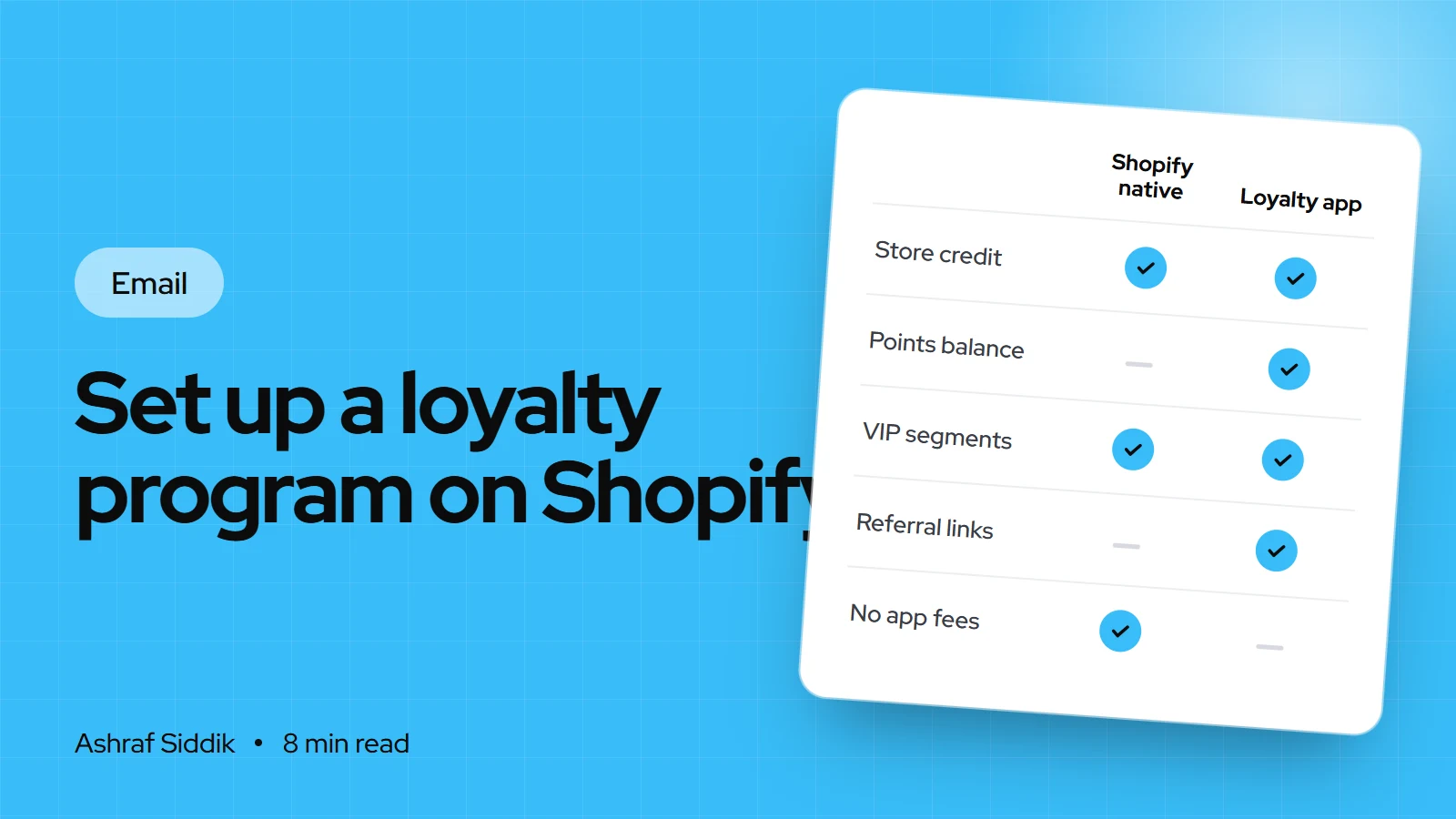
How to Set Up a Loyalty Program on Shopify
Shopify has no built-in points program, but it has store credit, segments and Flow, and the loyalty apps fill the gap. Here is how to design rewards that pay for themselves and set them up.
-
How to Set Up a Referral Program on Shopify
A referral program turns happy customers into a tracked source of new ones. Here is how to price the rewards, choose an app, set it up and keep it free of abuse.
-
Klaviyo for Shopify: The Complete Setup Guide
Klaviyo is the email and SMS tool most growing Shopify stores use, and most of its problems come from setup. Here is how to connect it properly, what it costs and which flows to build first.
-
How to Get More Repeat Customers in Your Shopify Store
Repeat customers cost nothing to find a second time. Here is how to measure them in Shopify and the tactics I set up to bring them back, from the second order to win-backs.